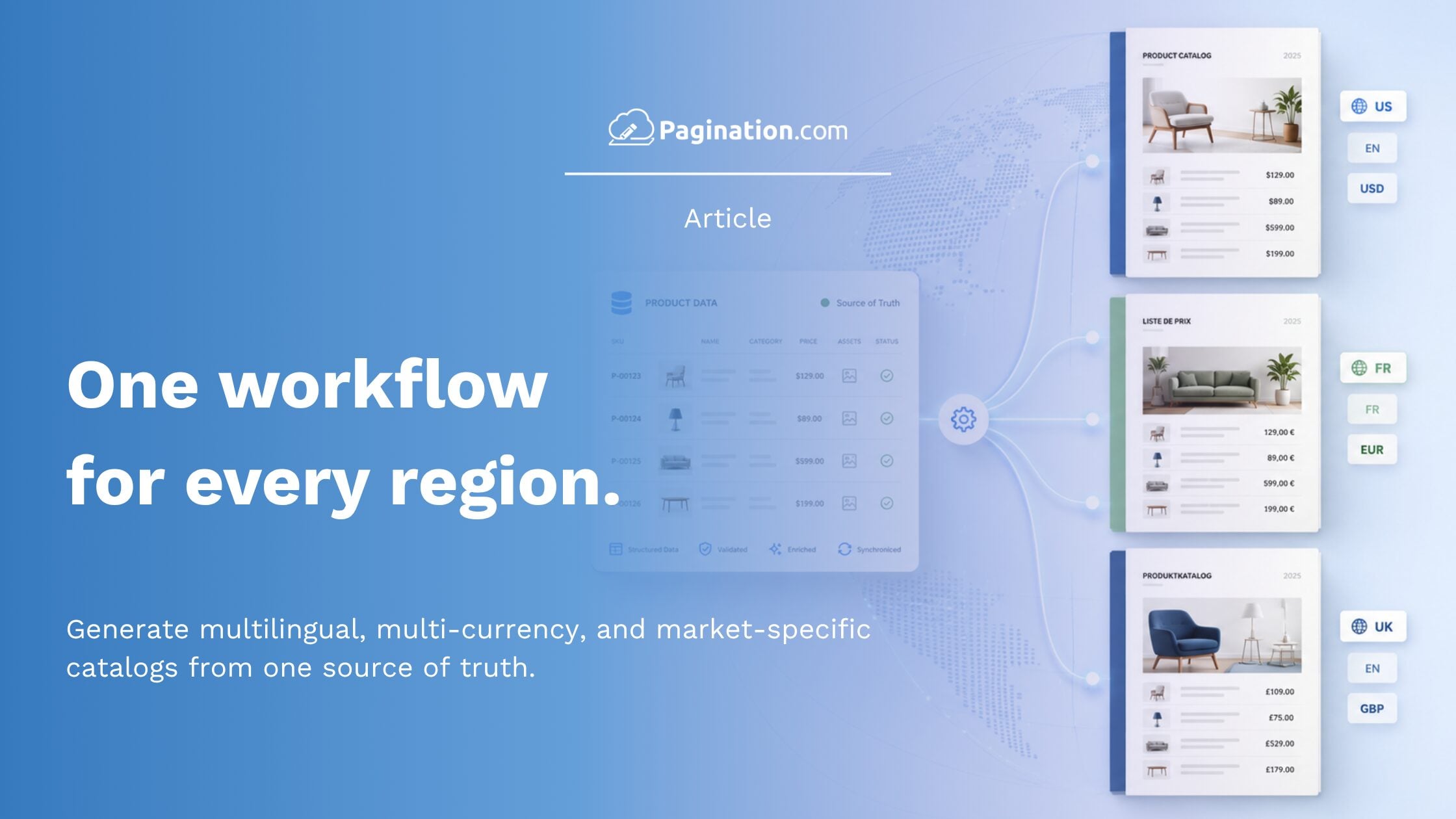
When a company sells across multiple countries, a catalog is rarely one single document. It is a family of regional editions, each with its own language, currency, assortment, pricing rules, and local formatting conventions.
The product data may come from the same source, but each market needs to read it differently.
A US catalog may use dollars and include a specific product range. A UK price list may use pounds and a different assortment. A French edition may require localized labels, European number formatting, and different product variants. A dealer-specific catalog may show only the products available for that sales channel.
This is where manual catalog production becomes difficult to scale. The solution is not to maintain a separate Excel file, InDesign document, or PDF for every market. The scalable approach is to keep one canonical product data source and let the document automation workflow apply the right rules for each edition.
Pagination uses its catalog software to automates the creation of regional catalog editions from structured product data, including multi-market, multi-currency, multilingual, and multi-assortment versions.
Why Manual Multi-Market Catalog Production Breaks Down
Manual workflows often work when a company produces one catalog in one language for one market. They become fragile when the number of versions increases.
The most common problem is file duplication. Teams create one spreadsheet for the US, another for the UK, another for France, another for Germany, and so on. Each file carries slightly different pricing, formatting, assortment, and localized content.
Over time, these files start to drift apart.
A product description may be updated in one edition but not in another. A price change may be applied to the EUR file but missed in the UK version. A product may be removed from one regional catalog but still appear in another. A designer may correct a price manually inside InDesign, while the source data remains unchanged.
The issue is not only time. It is consistency and trust.
One Product Data Source, Many Catalog Versions
The workflow that scales is based on one principle: keep product data centralized and apply regional rules at generation time.
In practice this means:
- One source of truth: a PIM, an ERP, a pricing database, or a structured Excel/CSV file. Product data lives there and is updated there.
- Per-edition configuration: a profile for each regional edition that declares language, currency, assortment filter, number conventions, layout rules, and assets.
- Automated rendering: the document automation layer reads the source data, applies the edition profile, and produces the print-ready PDF and editable InDesign file.
New markets are added by creating a new edition profile, not by cloning files.
How Multilingual Catalog Automation Works?
Multilingual catalog automation software allows companies to generate different language editions from the same product data source.
A catalog is not always a direct translation of the same layout. Product names, descriptions, labels, headings, captions, and technical attributes can change by language. Text length can also affect the final layout, especially in tables, product grids, and technical sections.
With Pagination, localized content can be managed in the data source and applied automatically during generation. This helps teams create multilingual PDF and InDesign catalogs without rebuilding the document for every language.
How Multi-Currency Price List Automation Works?
Multi-currency price list automation software is useful when the same price list needs to be published for different regions, countries, or sales channels.
Each edition may require different currency symbols, symbol positions, decimal precision, rounding rules, price columns, and regional number formats.
For example, the same product may appear with prices in USD, EUR, GBP, or CHF, depending on the target market. Pagination applies these currency and formatting rules at the edition level, so teams do not need to manually prepare a separate price file for every market. To learn more about regional number formats, see the guide on how to format prices correctly across markets in catalog automation.
What Multi-Assortment Catalog Automation Means?
Not every market sells the same products.
A US catalog may include products that are not available in the UK. A European edition may show different product variants. A distributor catalog may include only selected product families. A customer-specific price book may hide products outside a negotiated agreement.
With multi-assortment catalog automation, product availability, regional SKUs, variants, and customer-specific selections can be managed through the source data or edition rules. Pagination then generates each catalog with the correct assortment for that market, customer group, or sales channel.
Frequently Asked Questions
1) Can one product data source generate multiple catalog editions?
Yes. One product data source can generate multiple catalog editions by country, language, currency, customer group, or product assortment, as long as the edition rules are clearly defined.
2) Do I need a separate InDesign template for each market?
Not necessarily. If the template is designed to support regional variations, the same InDesign template can be reused across markets. Language, currency, separators, and assortment rules are applied through the automation workflow.
3) How are different assortments managed across markets?
Through a filter column in the source data, or through assortment rules in the edition profile. The canonical data carries every SKU; each edition pulls the subset relevant to its market.
Multi-Market Catalogs, One Source of Truth
A scalable multi-market catalog workflow keeps product data in one place and manages regional differences through edition rules.
Languages, currencies, assortments, price visibility, number formats, and layout variations no longer require separate files for every market. They become configurations applied to the same product data source.
Pagination automates this process from PIM, ERP, Excel, or other structured data sources to print-ready PDF and editable InDesign files, helping teams produce accurate regional catalogs faster and with fewer manual corrections.