
Somfy: Automating catalogs and price lists across North America with Pagination
Somfy Systems Inc (Somfy North America), is part of the Somfy Group, an international company with a presence in 58 countries worldwide. Founded 50 years ago on the mission to improve everyday life through comfort and convenience, Somfy has grown to become the world’s largest manufacturer of motors for interior window coverings and exterior shading solutions.
Today, Somfy’s innovations power the automation of shades, blinds, draperies, awnings, rolling shutters, exterior screens, and pergolas. Somfy’s solutions are designed to be safe, reliable, and sustainable. They enable natural light management, enhancing security, energy efficiency, and quality of life in any space.
Somfy Systems has always placed great importance on efficiency and process optimization. As its global operations expanded, the company recognized the need to streamline the production of catalogs and price lists.
The challenge: producing catalogs and price lists manually
Somfy faced two key challenges:
- Streamlining catalog and price list production: Somfy needed to simplify the creation of its two most important sales documents: catalogs and price lists. Before adopting Pagination, catalogs were produced in InDesign with the support of an external agency. Price lists were created in Excel. Due to the wide range of main products and accessories, creating these documents manually was very time-consuming.
- Creating documents directly from PIM data: Although Somfy’s product information was managed in a centralized PIM at group level, its structure did not match the way the company wanted to organize the content in catalogs and price lists. As a result, Somfy could not generate documents directly from PIM exports and had to spend additional time adapting data manually.

Pagination’s solution: a streamlined workflow for catalogs and price lists
Combining multiple data sources
To address Somfy’s requirements, Pagination created a hybrid workflow that merges information from three key sources into one publishing process:
- PIM export: Delivers core product data including attributes, compatibility details, and technical specifications directly from Somfy’s existing system.
- Complementary data file: Contains SKU selections, product groupings, categories, and icon preferences. Marketing teams simply check boxes in an Excel file to specify which icons to include.
- Assets file: Links to current product images, ensuring visuals automatically match the correct products and stay updated.
This multi-source approach allows Somfy to organize content according to their commercial strategy rather than being limited by PIM structure constraints. The result is product catalogs and price lists that meet both business objectives and the design standards expected in competitive North American markets.
Automating different document types
Pagination configured two different publishing projects to address Somfy’s marketing collaterals:
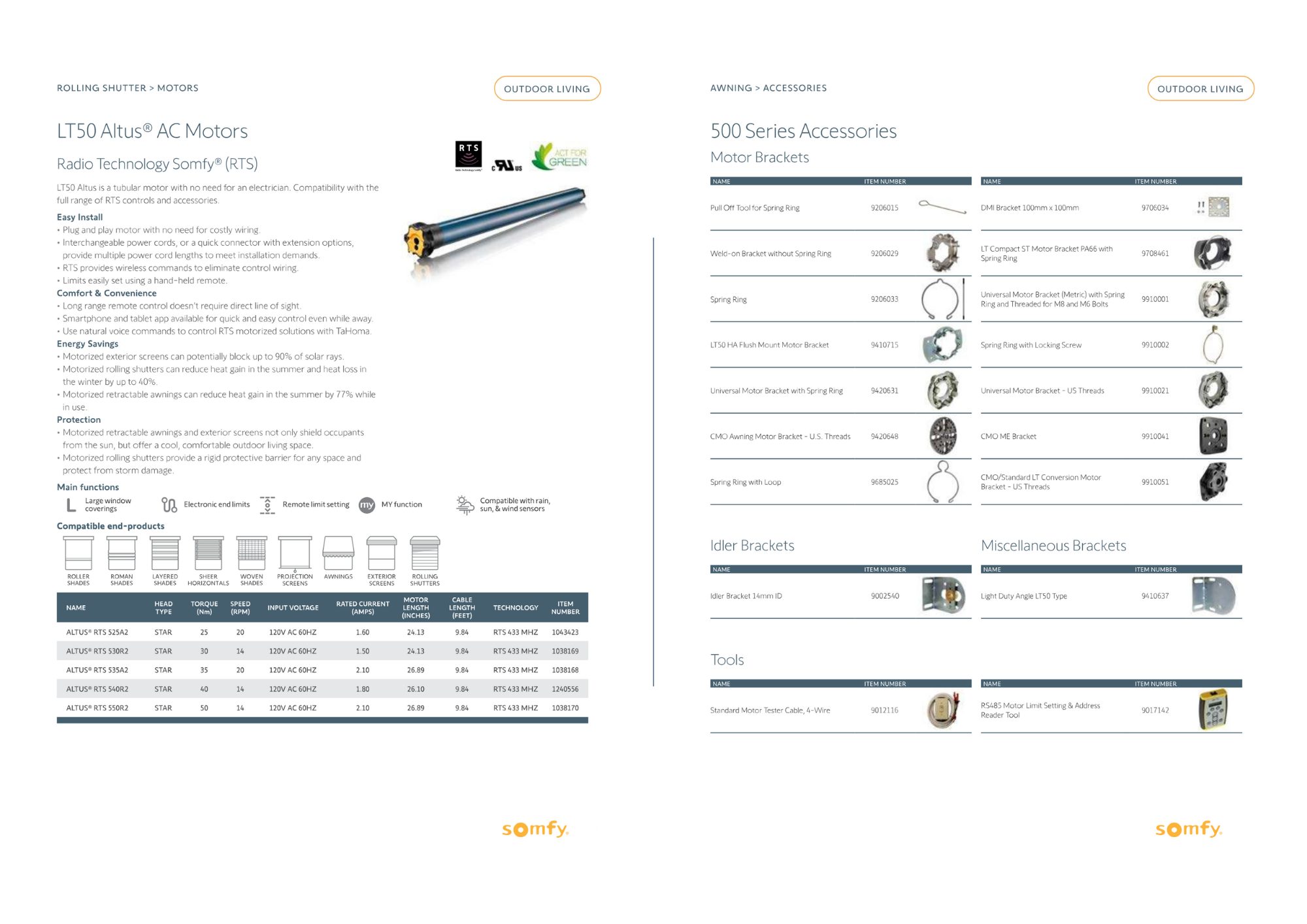
- Catalogs: feature detailed layouts for flagship products with icons, technical tables, and specifications, while accessories use compact formats. This approach gives each product appropriate visibility without compromising readability.
- Price lists: generated separately for U.S. and Canadian markets with localized currencies and product availability, while maintaining consistent design and structure across both versions.
Indesign automation eliminates repetitive manual tasks, reduces time-to-market, and ensures accuracy across all document versions.
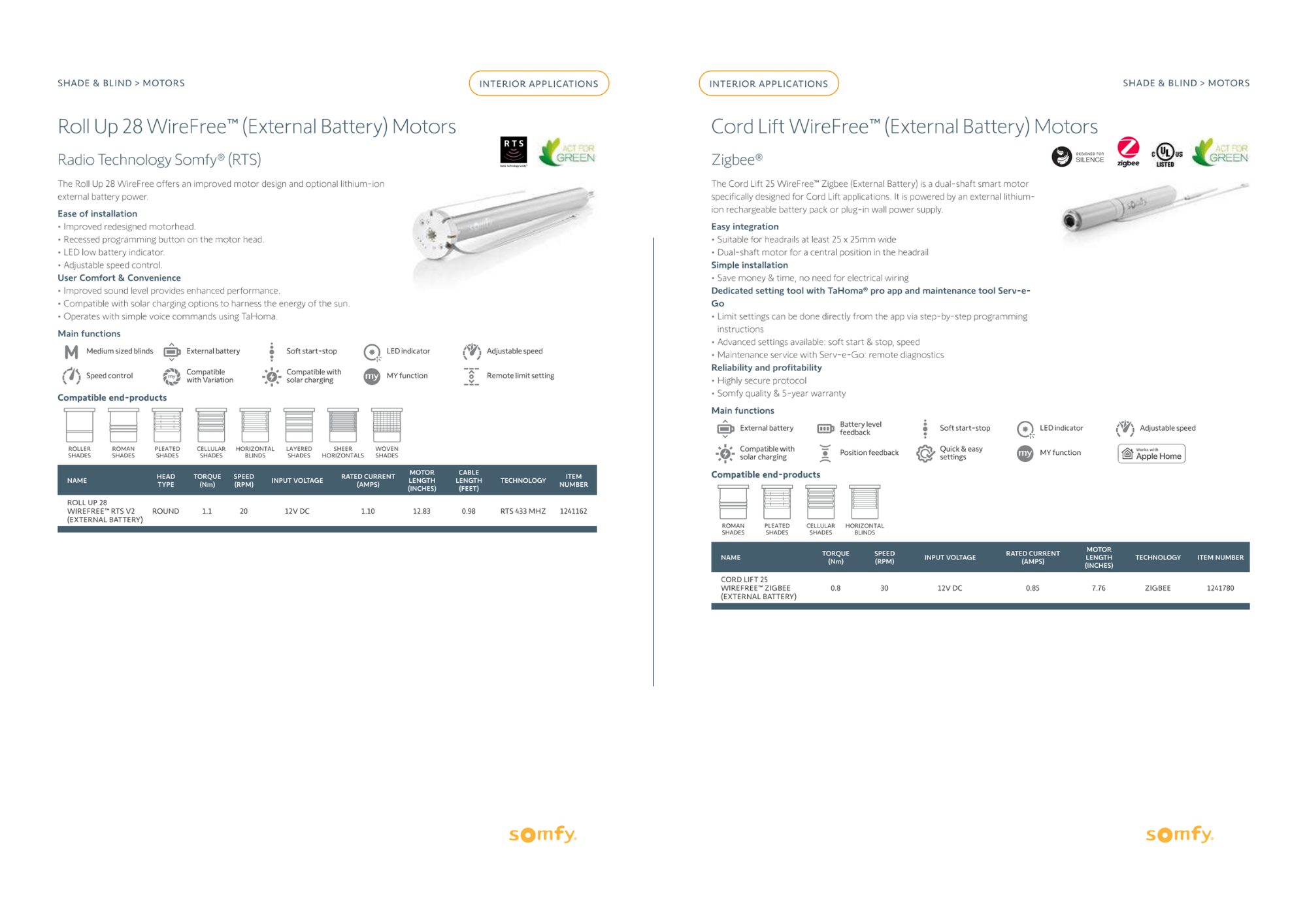
Seamless integration with static content
Somfy’s documents require static pages from their communication agency, like brand introductions, purchase terms and editorial content. Pagination integrates these elements directly into the automated workflow, so that the agency can focus on creative content while providing integration with dynamic product data.
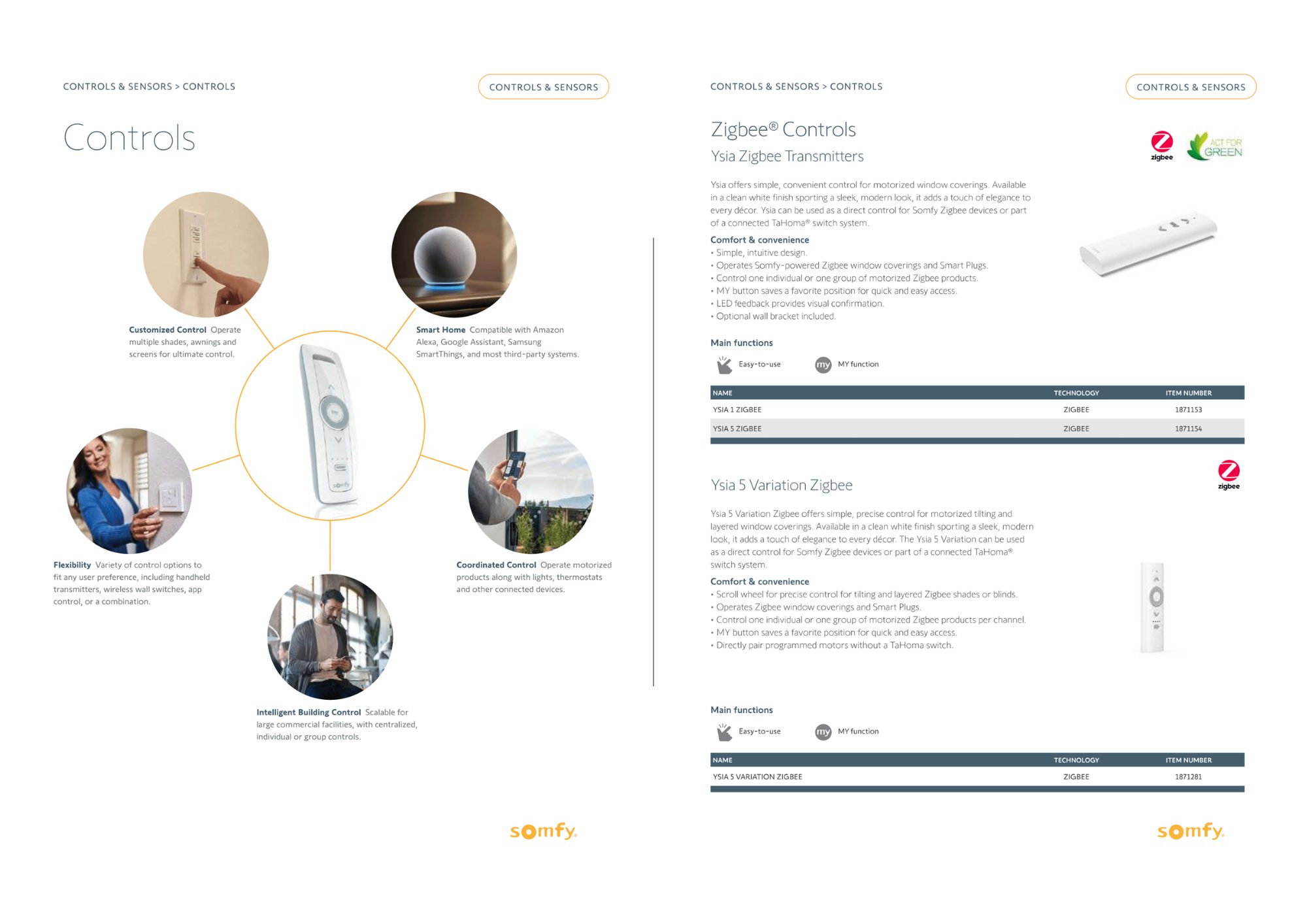
Automated indexes
The system generates indexes automatically for both product data and static sections. Each entry links to the corresponding page, so catalog automation enables quick navigation through large documents. Price lists include item numbers in indexes, making product code searches more efficient for sales teams and partners.
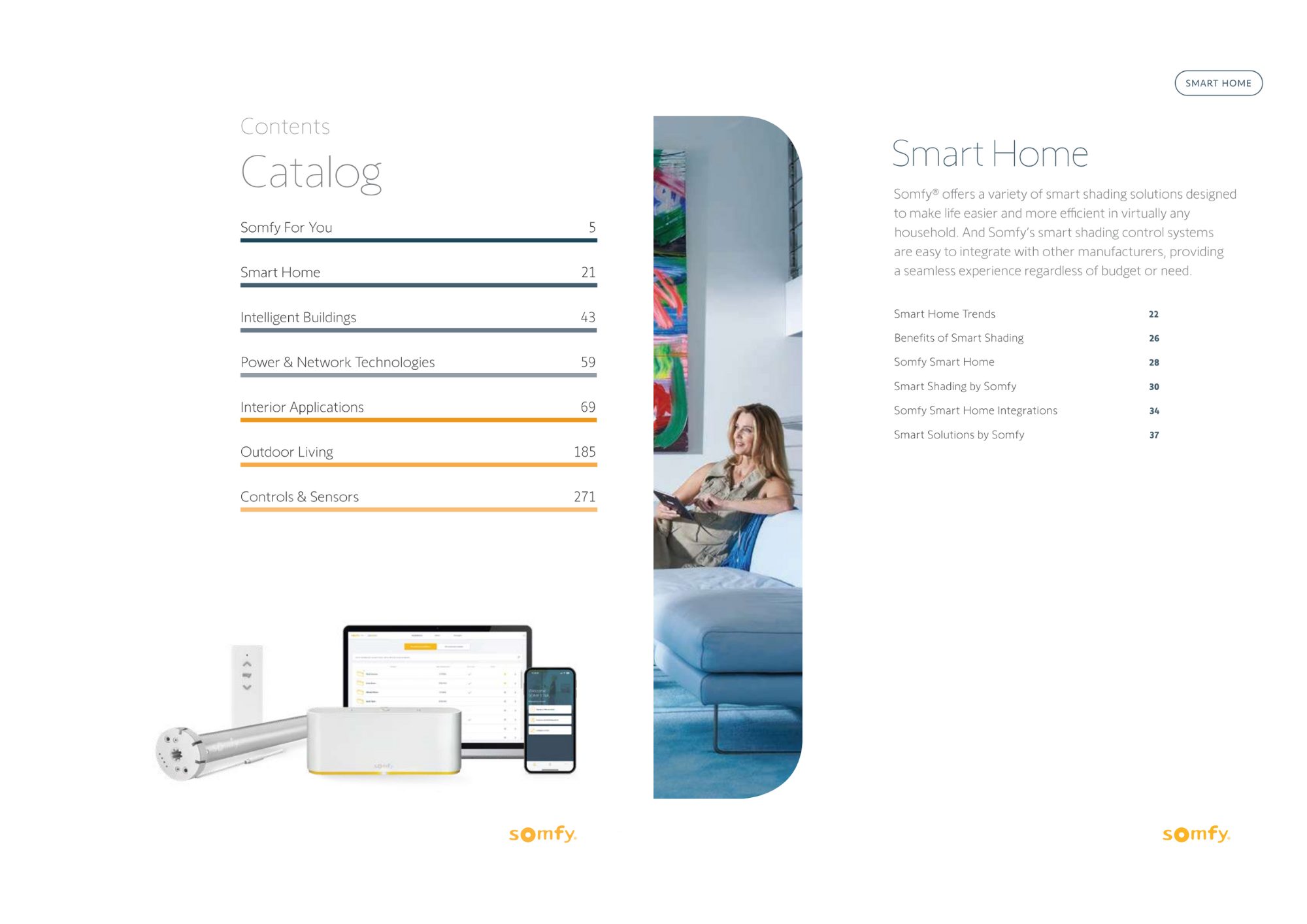
Automatic accessory pairing
Pagination implements a specific accessory-pairing logic: when a main product is selected, the system automatically includes related accessories after it. Accessories maintain consistent visual formatting throughout the catalog. This feature eliminates hours of manual organization while ensuring parent and child products always appear together, improving clarity for distributors and customers.
Results and benefits
- Faster response to market demands: Automation significantly reduces production time for marketing collateral documents. Updates that previously required weeks now complete within hours, enabling Somfy to respond quickly to product launches, seasonal changes, and market demands while maintaining quality standards.
- Simplified collaboration: The automated workflow eliminates repetitive manual tasks and reduces dependence on external resources. Marketing teams, sales managers, and agency partners collaborate more effectively. Creative professionals focus on brand content while Pagination handles structured product sections.
- Enhanced reliability: Direct data sourcing from verified systems minimizes human error. Automated indexing and accessory pairing ensure proper placement of all elements, providing sales teams with trustworthy documents.
- Improved user experience: Catalogs and price lists are faster to produce and easier to navigate. Automated indexes and uniform layouts help distributors and customers quickly locate needed information. Professional presentation and verified data reinforce Somfy’s brand image in competitive markets.
Key takeaways
Somfy’s partnership with Pagination demonstrates how automation can transform catalog and price list production in the building automation industry. The implementation delivered measurable improvements across multiple areas:
- Operational efficiency: Streamlined workflows eliminated weeks of manual work, enabling faster response to market changes and product updates.
- Data integration: Multiple source systems now work together seamlessly, combining PIM data with marketing preferences and visual assets.
- Team collaboration: Marketing teams focus on creative content while automation handles technical product sections, improving overall productivity.
- Document reliability: Direct data sourcing and automated processes minimize errors, strengthening brand reputation with partners and customers.
For manufacturers and distributors seeking to make a catalog or simplify price list creation, Pagination database publisher offers comprehensive automation solutions. Our catalog software provides the flexibility and tools needed to generate professional, ready-to-publish documents efficiently.
Ready to experience automation benefits for your business? Contact Pagination today or watch our demo to learn more.
Otomatik belgenizi oluşturun!
Ücretsiz InDesign Şablonlarımızdan birini kullanın veya kendi düzeninizi yükleyin. İstediğiniz zaman ve istediğiniz yerden doküman oluşturun.