Industry: Access Automation & Electronics Manufacturing | Company Size: 1,001–5,000 employees | Headquarters: Italy | Challenge: A product catalog used as the official price communication vehicle to customers, where every pricing error has direct commercial consequences | Solution: Pagination Cloud for automated catalog generation, based on SAP data exports.
The Challenge: Manual Price Catalog Production with SAP Data
In access automation manufacturing, the product catalog is not a brochure. It is an operational document, effectively acting as the price list used by distributors and installers to quote projects, configure systems, and place orders. In this context, errors are not simple typos. When an item is listed at EUR 1,200 instead of EUR 12,000, the impact is not cosmetic, it is commercial.
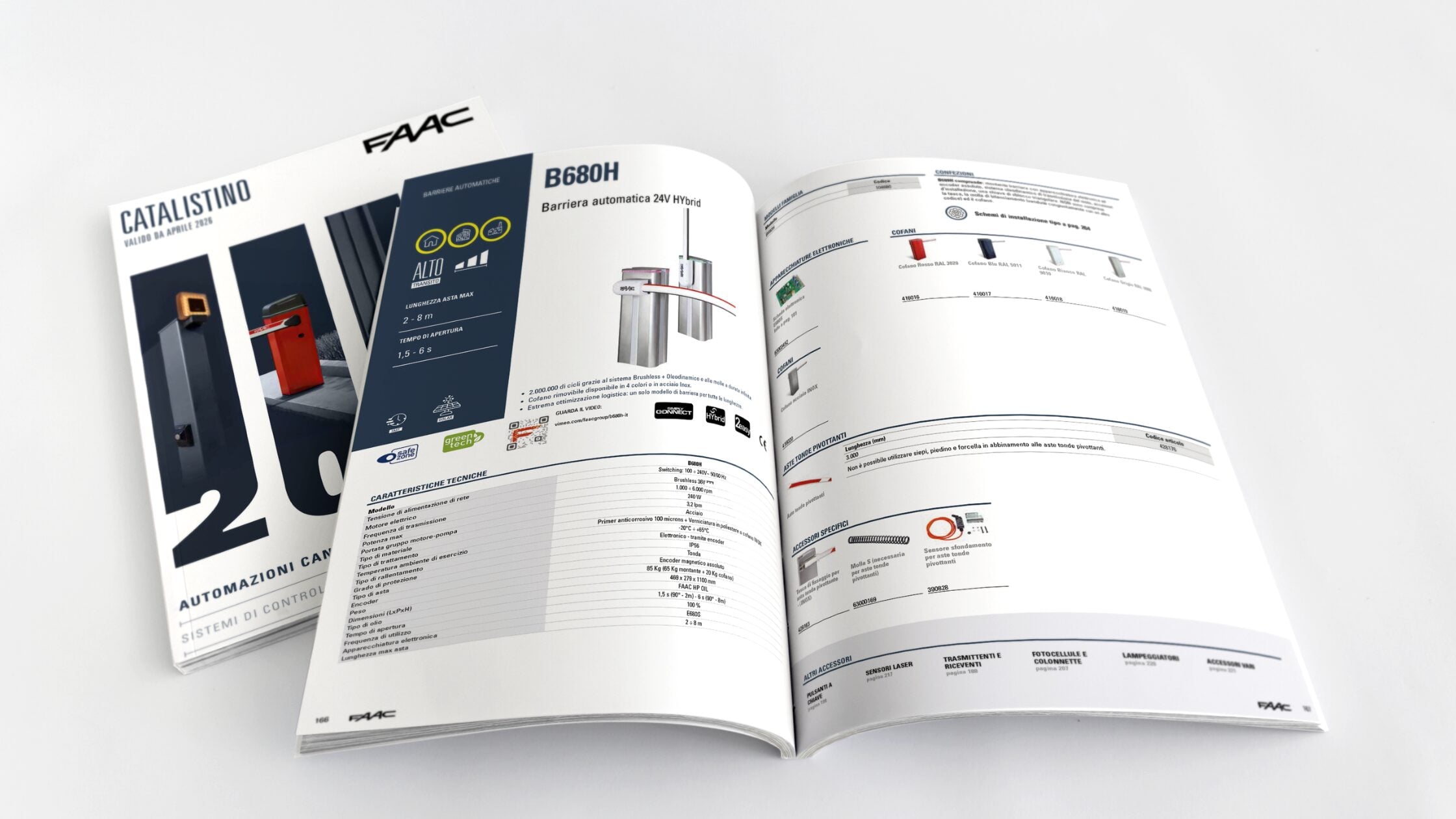
For years, FAAC’s marketing team managed this exact risk. Their annual product catalog, called the “Catalistino,” served as a key vehicle for communicating prices across the customer base. Hundreds of products, including barriers, gates, photocells, and accessories, had to be published with the correct codes, prices, technical specifications, and installation diagrams. Each cycle raised the same question: are all the prices correct?
Before automation, the answer was never fully certain, and that uncertainty translated into weeks of manual checking during each production cycle.
Why Manual Catalog Pricing Creates Commercial Risk
The pattern is common across manufacturers who produce printed price catalogs from ERP data. In many cases, the root cause is the same: the data is correct at the source, but the path from ERP to printed page introduces human error.
The data lives in SAP. The catalog lives in InDesign. The gap between them is a spreadsheet and a person.
Here is what typically goes wrong:
- No second chance: the catalog goes to print once a year. Once distributors receive it, the prices on those pages become the basis for commercial negotiations. At that point, a pricing error is no longer just an internal mistake. It can spread across the sales network, create confusion, trigger disputes, and erode trust. Unlike a digital system, it cannot be corrected with a patch release and may remain in the field for twelve months.
- Inconsistent product references: the same accessory may appear on multiple pages, but with different names, notes, or descriptions. On one page it may be identified by model number, on another by commercial name. Without a catalog software that centralizes product data, there is no reliable way to enforce consistency. In practice, that meant comparing the new edition against the previous printed catalog, page by page, with no database to query and no easy way to validate recurring entries.
- Cross-references that break silently: page numbers in the table of contents, index references in footers, “see page X” callouts: all maintained manually. Every time a product is added or a page is moved, these references need to be updated by hand. Some will be missed.
What Changes When Price and Product Data Come Directly from SAP
FAAC engaged Pagination to automate the catalog production process, with one non-negotiable requirement: prices and product codes must come directly from SAP, with no manual transcription.
This is where the shift happens. And it is worth understanding why it matters, beyond the technical implementation.
When a human copies a price from a spreadsheet into an InDesign file, the accuracy depends on that person’s attention at that moment. When an automated system reads a structured data file extracted from SAP and places the price next to the correct product code, the accuracy depends on the data at the source. The key difference is not just speed, but control over where errors can enter the process.
| What changed | Before | After |
|---|---|---|
| Price-to-code association | Manual copy from spreadsheet | Automatic from SAP extract |
| Price verification effort | Primary concern, weeks of checking | Confirmation check, minimal corrections |
| Cross-references and page numbers | Manually maintained | Automatically generated |
| Product consistency across pages | No enforcement mechanism | Single data source, consistent output |
| Error profile | Human transcription errors | Issues mainly tied to source data quality |
Beyond Pricing: What Catalog Automation Actually Solved
Removing manual price entry was the headline result. But the automation addressed a structural problem: the Catalistino had grown more complex than any manual process could reliably manage. Two additional benefits emerged in the first year.
Format changes without starting over: during the first year of collaboration, FAAC decided to change the catalog format from a smaller size to A4. In a manual workflow, a format change means rebuilding every page. With Pagination, the data and layout rules adapted to the new format. The structural work did not need to be repeated.
Static and dynamic pages, together: not every page in the catalog is data-driven. Some pages contain editorial content, installation diagrams, or product configuration visuals that require manual design. Pagination handled the repeatable, data-driven pages, while the design team focused on the pages that genuinely required editorial and visual judgment. This is the core principle behind database publishing: designers design, and data flows automatically.
An Honest Assessment: What the First Year Revealed
Implementation required more than software configuration. It involved understanding Catalistino’s editorial logic, recurring product relationships, and layout exceptions. The FAAC team was direct about what worked and what required adjustment.
What worked immediately:
- Price-code accuracy from SAP, the primary objective, delivered from the first production cycle;
- Automatic page numbering, cross-references, and table of contents;
- Fast, intuitive data modifications through structured Excel files;
- Lightweight output files that enabled faster iteration.
What required iteration:
- The InDesign Book publication workflow needed more training to ensure the team felt autonomous during the final export phase;
- Product naming inconsistencies in the source data surfaced during quality review and required cleanup at the data level;
- Some specialized catalog pages (complex barrier configurations) still needed manual assembly because the product data was not fully structured for those layouts.
The project lead offered a candid recommendation: automation does not remove the need for editorial judgment. It removes the grunt work so that editorial judgment can focus on what matters.
Could This Work for Your Product Catalog?
If your catalog functions as a pricing document, not just a marketing asset, the risks of manual production are often greater than they first appear.
Pagination automates the path from structured product data to print-ready output, keeping editorial control where it belongs: with the people who know the products. If you manage documents with product-price associations from ERP, multi-page consistency requirements, and annual production cycles under deadline pressure, Pagination can assess feasibility starting from:
- Your current catalog (PDF or InDesign);
- Your product data files (ERP export, Excel, PIM);
- Your requirements for the next edition.
To explore related approaches, see our pages on catalog software and price list software.