Building Materials Catalog and Price List Automation

Pagination turns your product data into catalogs, price lists and technical data sheets, generated automatically for every region, dealer tier and language.

Whether you sell raw building materials or finished building products, one data source and one InDesign template can produce print-ready PDF, InDesign files or editable Excel, with no manual updates to SKUs, prices, certifications or drawings.

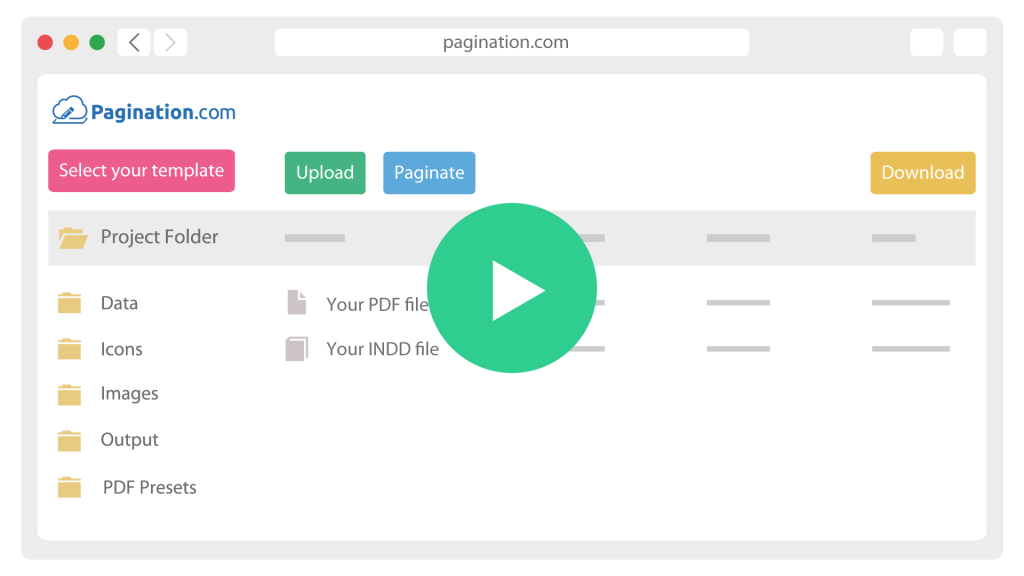
How Building Materials Catalog Automation Works

icon__upload-data
1

Connect your data

Pull products, prices and assets from your PIM, ERP or Excel file, via API, FTP or upload.

icon__paginate-document
2

Generate every edition

One InDesign template renders each region, dealer tier and language, placing prices, certifications and drawings automatically.

icon__download-files
3

Distribute and archive

Export print-ready PDF, packaged InDesign or Excel, and keep every edition archived by date, market and tier.

The Real Challenges of Automating a Building Materials Catalog

Many catalog tools work for simple assortments. Building materials data is technical, pricing is tiered and compliance varies by market, so the publishing logic has to be more structured. Pagination is built for database publishing, where product data, layout rules and InDesign templates work together.

multilingual icon

Catalogs Vary By Region, And The Variants Multiply

A catalog is rarely one document. It is a domestic edition, several export editions and a set of language and currency variants: the same products, different assortments, prices and legal notes. Pagination generates the whole batch from one dataset, showing or hiding SKUs per country, per branch or per contract without duplicating files.

Dealer Coefficients Apply To Every Sku On Every Run

A distributor price list is one price per SKU per dealer tier. With distributor price list automation, Pagination applies a global or per-category coefficient to the base price at generation time, so each buying group and regional partner gets its own version from the same master list. 

dealer coefficients icon
Certifications And Drawings Live In The Source Data, Not The Layout

Certifications And Drawings Live In The Source Data, Not The Layout

Certification marks and engineering drawings belong to specific SKUs and markets, and they change on their own schedule. Retyping them into the layout is how expired marks and missing declarations reach print. Pagination places certifications as data-driven fields and drawings as linked per-SKU assets, so when the source record changes, every document follows.

Novo Building Products

100,000 SKUs. 100,000 images. 30 GB of assets. That is the scale of a single regional price book for a US wholesale building materials distributor.

Novo automated it end to end on Pagination. A Salsify PIM and an ERP feed a dedicated API connector, four concurrent queues handle the load, and six product layouts plus the table of contents regenerate automatically from live data.

Document Automation for Building Materials Manufacturers and Distributors

A single building materials SKU can carry dimensions, finishes, profiles, load ratings, certifications, pricing tiers, packaging units, images and technical drawings. The same record feeds a catalog, a dealer price list, a technical data sheet and an installation guide, each with different fields and layout rules. Pagination drives all of them from that one record, so an update to a price or a certification flows into every document automatically.
What you publish How Pagination handles it
Regional and multi-language catalogs One edition per market, assortment and language from a single dataset
Multi-tier dealer price lists One edition per distributor tier, each with its own coefficient applied to the master list
Technical data sheets per SKU One sheet per product, with drawings, dimensions and specs placed from your data
Certification and compliance marks CE, UL, ASTM, EN, RoHS, REACH placed per SKU and per region as data-driven fields
Kit and bundle pricing Component and kit totals aligned to a defined rounding policy
Excel exports Generated alongside PDF, with pricing formulas preserved for downstream edits
Effective date and revision Every file carries the source revision and effective date for audit
Scheduled or on-demand output Generate on a schedule you define, or trigger runs through the API

Start from a Sample of
Your Current Building Materials Catalog

Share a recent catalog, price list or technical data sheet, plus a CSV export of the underlying SKU data. A short review shows which sections can be automated, which pricing rules and certifications need to be defined, and what building materials catalog and price list automation would look like across your dealer network.