In today’s competitive marketplace, the way you present your products can make the difference between capturing a customer’s attention and losing them to a competitor.
Product layouts form the foundation of effective catalog design, transforming raw data into branded presentations that drive sales. The choice between sequential, grid, and page layouts is a strategic decision impacting workflow efficiency, data management complexity, and your ability to deliver consistent, high-quality catalogs.
This guide helps you navigate these options and make informed decisions aligned with your business objectives and design automation needs.
Table of Contents
- How Pagination Turns Product Data into Sales-Ready Documents
- Product Layout: The Foundation of Professional Catalog Design
- Sequential Layout: Maximum Flexibility for Dynamic Content
- Grid Layout: Structured Precision for High-Volume Catalogs
- Page Layout: Complete Creative Control
- Optimizing Your Datasheet for Each Layout Approach
How Pagination Turns Product Data into Sales-Ready Documents
Before diving into layout strategies, it’s worth understanding how Pagination makes them work. Pagination is a cloud-based platform that automates the creation of sales documents, catalogs, price lists, pricebooks, and more, starting directly from your structured data.
You upload your dataset, define your layout once in InDesign, or choose an InDesign template, and let Pagination generate consistent, professional documents in minutes. Product information, images, prices, and custom attributes are merged automatically with the layout you designed. Every update, whether it’s a new product, a price change, or a promotion, requires just a new dataset upload, with no need to adjust the design manually.
This approach enables full control over your output while reducing production time and errors. It also lays the groundwork for the layout strategies you’re about to explore, each offering a different level of automation, flexibility, and creative control depending on your content and business goals.
Product Layout: The Foundation of Professional Catalog Design
-
What Is a Product Layout?
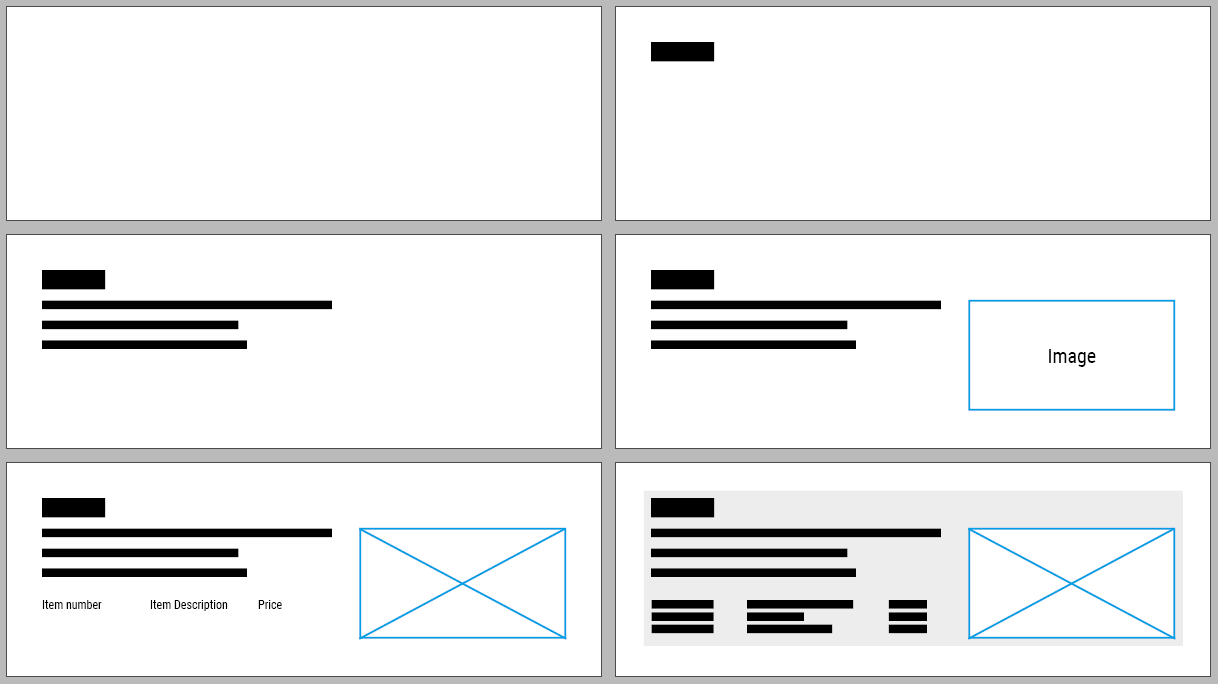
A product layout defines the structure of a single product, serving as the blueprint that determines how each item appears in your document. This includes elements like title, description, specifications, images and special features such as certifications or promotional badges. When executed correctly, consistent product layouts don’t just look professional; they unlock powerful automation capabilities that can transform your publishing workflow.
-
Connecting Layouts with Data
Your layouts can connect seamlessly with structured data through Pagination’s cloud system. Spreadsheet columns automatically map to specific layout fields: product codes sync with images, pricing updates in real-time, and promotional flags trigger special designs. This structured approach delivers a competitive advantage that allows you to maintain accuracy while scaling your catalog production.
-
Customizing for Product Types
Smart businesses understand that different products demand different presentation approaches. Technical equipment thrives with data-rich specifications and detailed charts, while lifestyle products captivate through stunning imagery and persuasive copy. You can even create visual hierarchy by leveraging multiple layout styles, making limited-time offers pop with distinctive designs that drive urgency and conversion.
Once your product layouts are perfectly crafted, the next strategic decision shapes your entire document’s user experience: how will you arrange these elements on each page? Pagination offers three main powerful approaches, each designed for specific business needs and content types.
Sequential Layout: Maximum Flexibility for Dynamic Content
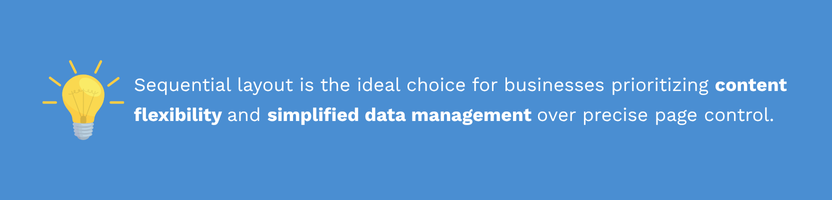
Sequential layout offers the most flexible approach for businesses dealing with diverse product portfolios. Instead of forcing content into rigid boxes, products flow naturally down the page, creating an intuitive reading experience that adapts to your content’s unique requirements. This approach has become the preferred choice among Pagination’s most successful clients for good reasons.

-
Real-World Use Case
Consider managing a technical catalog where some products require comprehensive specification sheets while others need only essential details. Sequential layout handles this complexity effortlessly, organically allocating space based on content needs rather than arbitrary constraints. The result? Every product gets the attention it deserves, whether it’s a complex industrial component or a simple accessory.
-
Easier design workflow
Your workflow becomes remarkably streamlined: simply organize your spreadsheet data by category, product family, or any business logic that makes sense. Pagination handles the rest, automatically arranging products while maintaining visual consistency. No complex calculations, no grid mathematics: just clean, professional results that adapt to your data.
-
Trade-Offs and Solutions
The trade-off involves embracing some unpredictability in exact page positioning. When content lengths vary significantly, you might encounter spacing variations that make it challenging to predict final page counts from data alone. However, Pagination‘s advanced algorithms intelligently manage white space, minimizing layout gaps and maintaining visual balance throughout your document.
Grid Layout: Structured Precision for High-Volume Catalogs
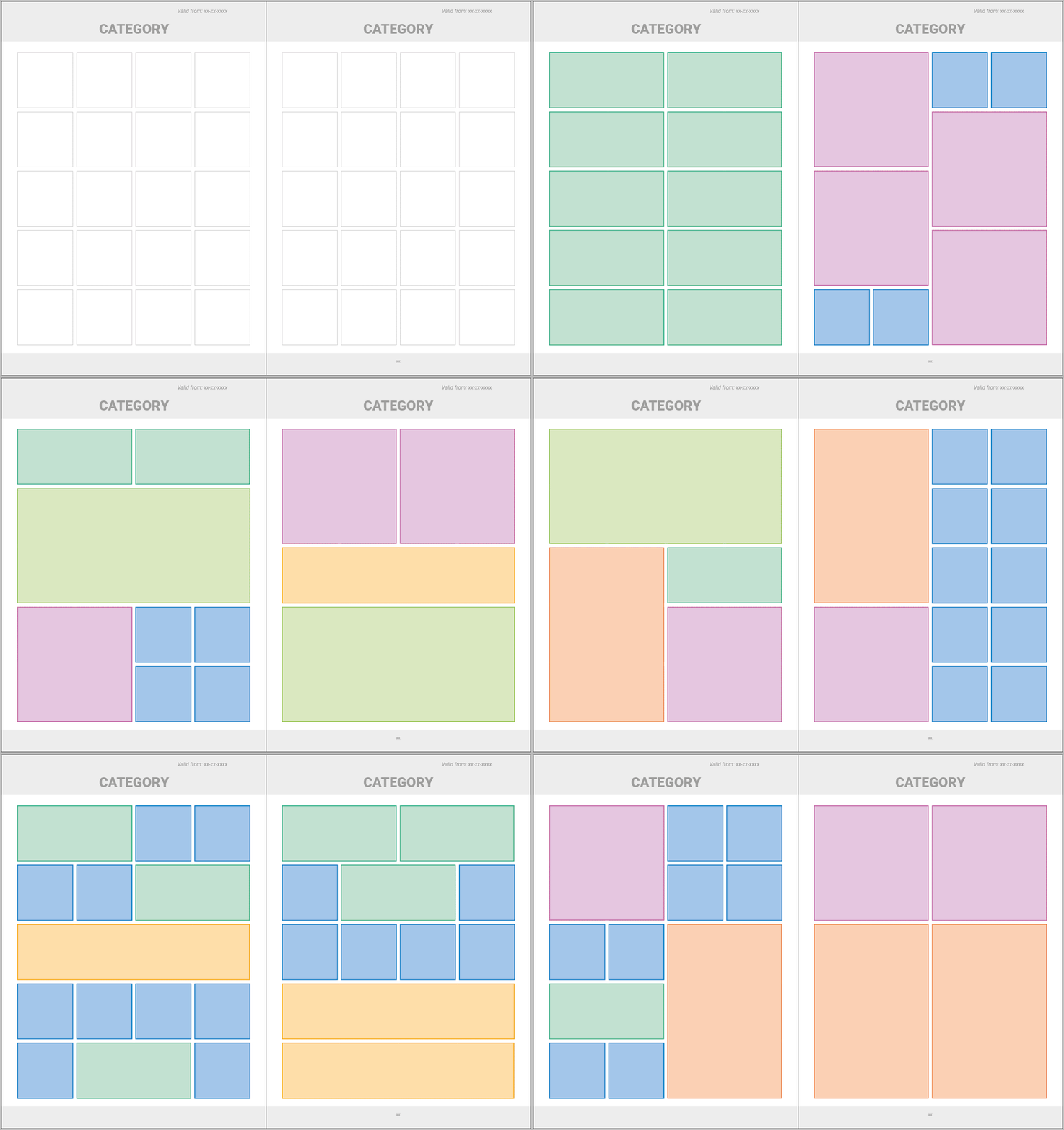
Grid layout delivers the structured consistency that high-volume businesses demand. By organizing products within a modular framework, you achieve that clean, professional appearance that builds trust and makes navigation effortless for your customers. This systematic approach excels in catalog automation scenarios where predictability and efficiency drive bottom-line results.
-
Predictability and Automation
The power lies in mathematical precision: knowing exact space requirements enables accurate calculations for items per page, creating reliable timelines and consistent output. Your data management becomes more sophisticated, with spreadsheets specifying layout styles: compact for quick reference, image-focused for visual impact, or table-rich for technical specifications. Pagination processes these instructions to deliver consistently structured documents that maintain professional standards at scale.
-
Control Through Data
Users can basically control page structure directly through spreadsheet configuration. By assigning specific layouts to individual products, you essentially architect your entire document before it’s built. While this requires more detailed data preparation, the resulting control over final output often justifies the additional setup investment.
Don’t mistake structure for rigidity. Grid layouts embrace modular flexibility: single-block configurations for concise information, double-block arrangements for product variants, and full-width options for products requiring detailed descriptions or large-format imagery. This modular approach enables creative combinations within a professional framework.
-
Advanced Features on Demand
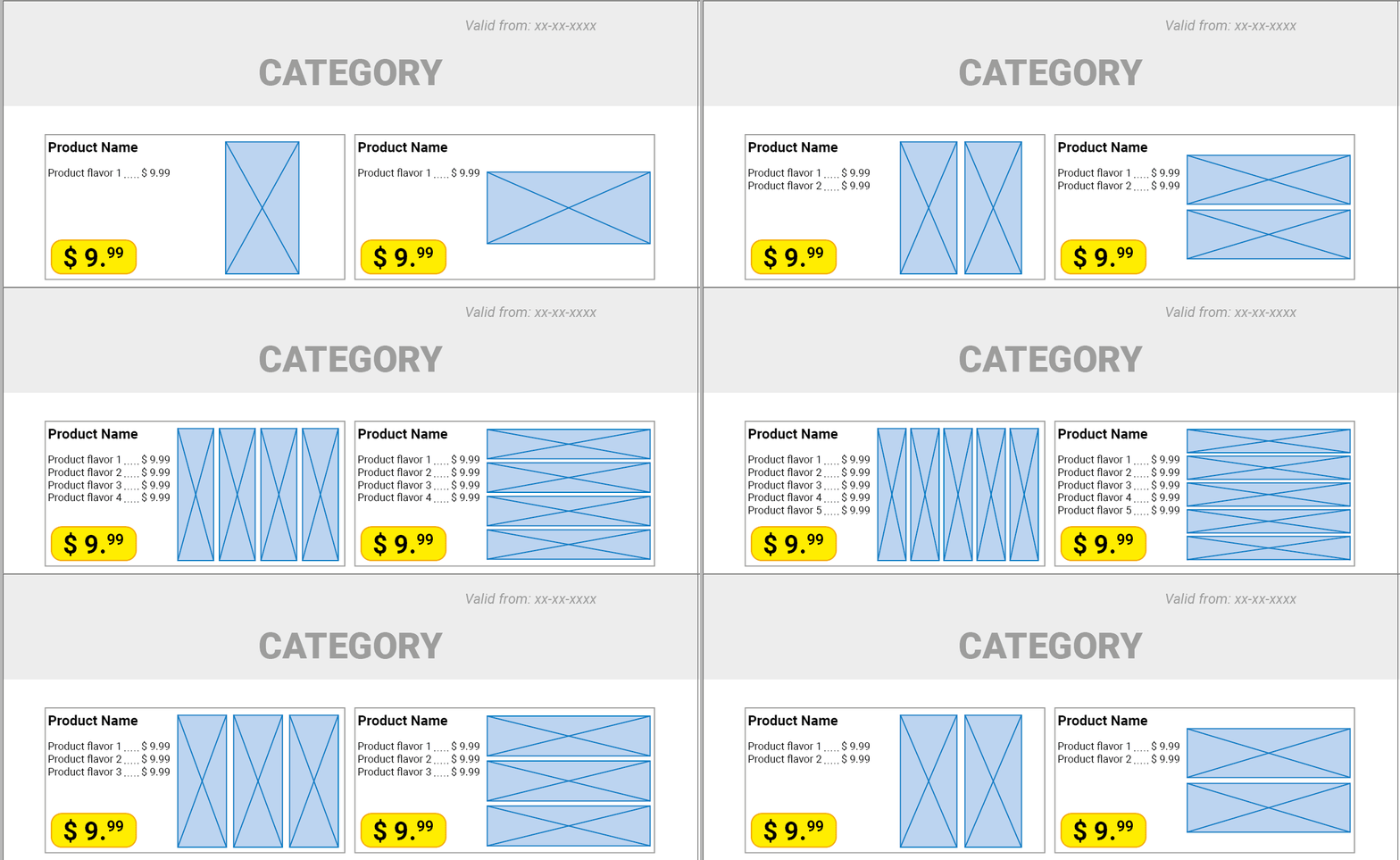
Pagination offers additional advanced features based on specific project needs. For instance, when products feature varying text lengths or multiple images, the system dynamically adjusts sizing and positioning while preserving visual harmony. For promotional content requiring enhanced readability, automated image resizing accommodates expanded descriptions without manual intervention. Read more about how Pagination handles grid layout here.

The system even handles complex image arrangements, automatically organizing multiple product photos based on dimensions and orientation. This intelligent automation means one flexible module can handle diverse scenarios, simplifying maintenance while creating more intuitive workflows.
-
Limitations and Ideal Use
The constraint of grid layout lies in fixed space allocation per product. Every element must fit within predefined boundaries, requiring careful balance between content volume and available space. Since all elements must fit within the predefined layout, the amount of text or the number of SKUs per page must be carefully balanced against available space.

Page Layout: Complete Creative Control
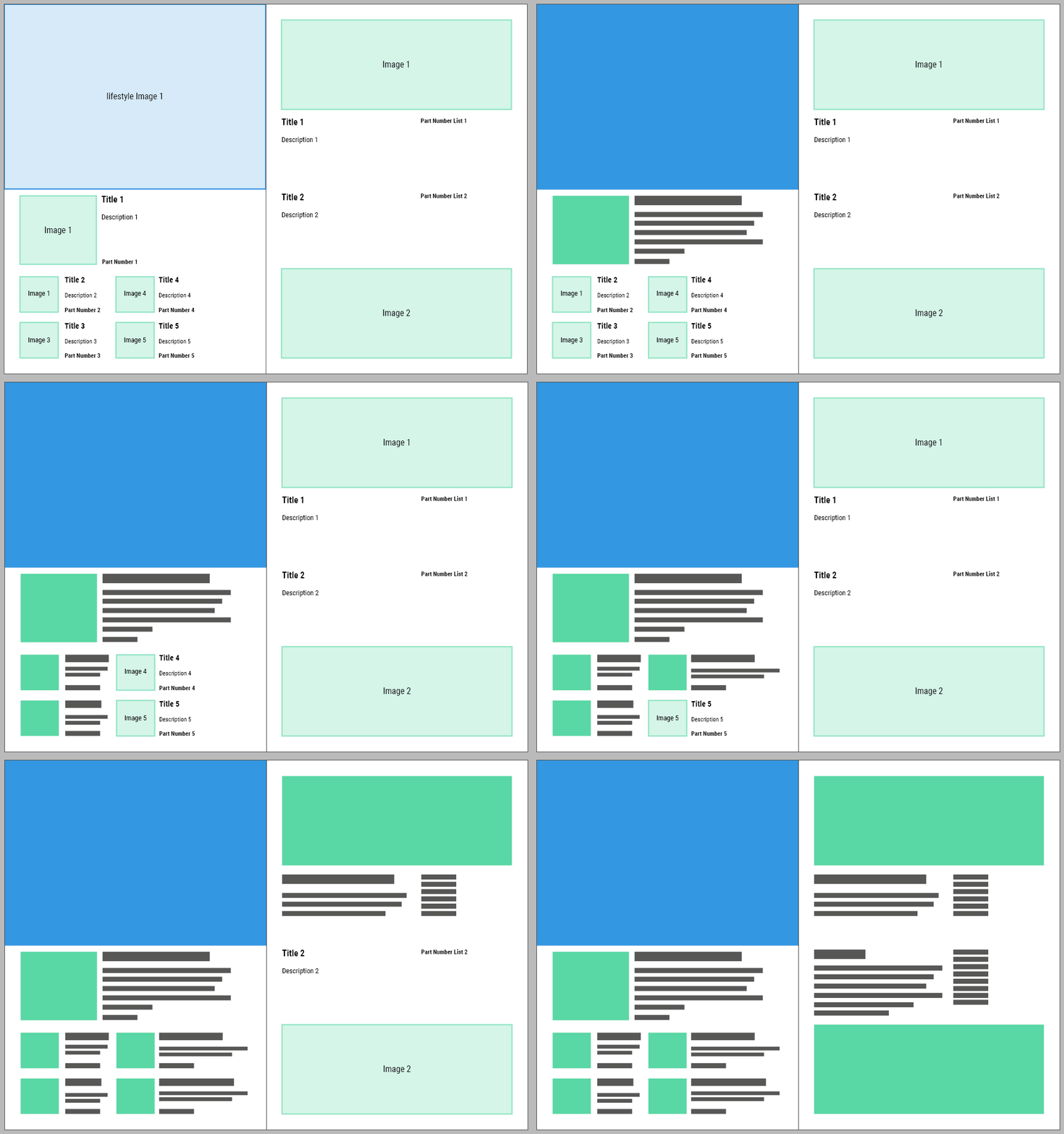
Page layout starts with the big picture, literally. Instead of building up from individual product components, this approach designs entire pages as cohesive visual experiences. You gain complete creative control over composition, enabling magazine-quality layouts that elevate your brand presentation above standard catalog formats.
-
When to Use Page Layout
This methodology shines in premium applications where visual impact drives purchasing decisions. Your data management becomes more detailed, with spreadsheets specifying exact page templates, precise positioning, and multi-element arrangements. The result delivers complete output control while maintaining automation speed benefits.
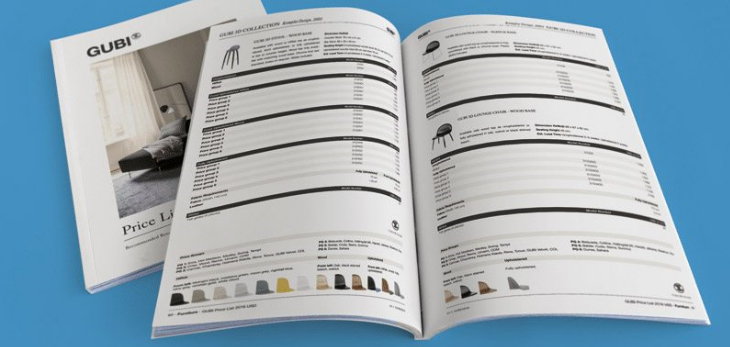
Page layout excels at creating narrative-driven documents that support your brand story. Premium furniture catalogs exemplify this approach with carefully crafted pages dedicating substantial space to hero photography, editorial storytelling, and strategic white space that prevents visual overwhelm while emphasizing key selling points.
The planning investment represents the primary consideration. You must predetermine product placement and organize data accordingly, trading some adaptability for maximum design impact. This approach works best for brand-focused materials where consistent visual excellence outweighs flexibility for frequent content changes.
-
Planning vs Flexibility
While this reduces flexibility for ongoing modifications, it doesn’t eliminate scalability. Page layout simply prioritizes design excellence over rapid content adaptation, making it ideal for premium brand materials, product launches, and high-impact marketing collateral.
Optimizing Your Datasheet for Each Layout Approach
Your data file complexity should match your layout ambitions and business requirements.
- Sequential Layout offers the simplest data management. Export directly from your ERP or product management system with minimal adjustments. The only additional requirement involves specifying layout types when using multiple styles within a single document. Pagination handles arrangement automatically based on your data and sorting preferences.
- Grid Layout demands more structured input but rewards you with enhanced control. Each product requires a layout style assignment for proper modular placement. Optionally, specify page numbers for exact positioning control, useful for maintaining product groupings or promotional adjacencies.
- Page Layout requires the highest detail level but delivers maximum creative control. Your data file must specify not only page numbers but exact positioning for every content element. This enables complete page composition control, though it requires data files specifically tailored to your document’s design structure.
The key lies in matching your data complexity to your layout requirements. Start with sequential layouts for immediate results, then advance to more sophisticated approaches as your catalog program develops and your automation needs grow.

Interested in Catalog Automation?
Choosing the right layout approach impacts your entire catalog workflow. Sequential layouts offer unmatched flexibility for diverse content, grid layouts provide structured consistency for high-volume operations, and page layouts deliver creative control for premium brand experiences.
Pagination transforms product data into professional catalogs automatically: streamlining updates, improving consistency, and scaling across markets.
Book a demo to see how Pagination can transform your workflow: no plugins, no coding, just results.
👉 Contact us to get started.