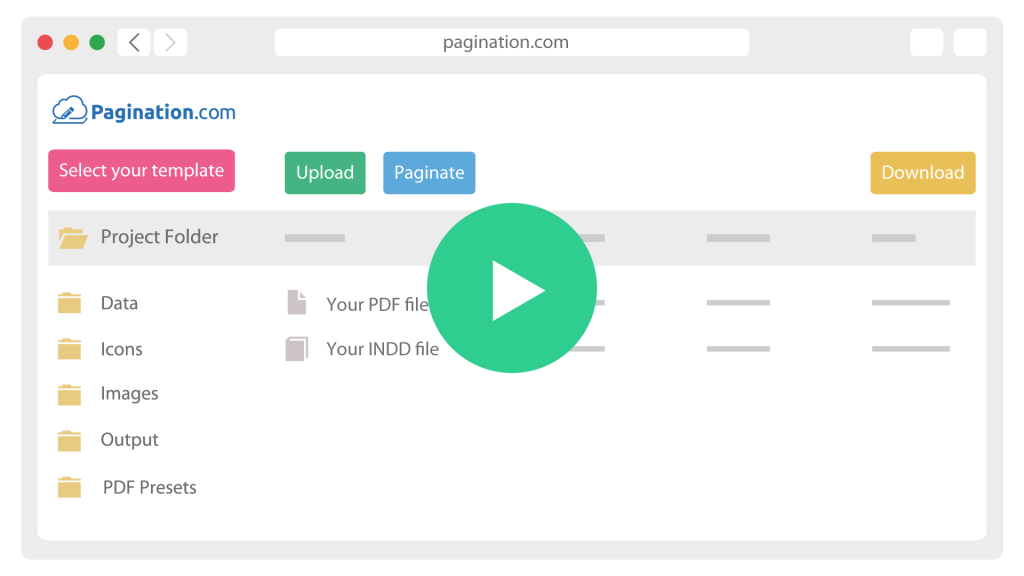
Document Automation for Enterprise Businesses

At enterprise scale, the hard part is rarely one catalog. It is the hundreds of documents behind it: price lists, data sheets, labels, all built in several languages from data that changes every week. Keep doing that by hand and versions drift apart, deadlines slip, and skilled people spend their days moving data between systems.

Pagination closes that gap. Your product data goes in, and print-ready InDesign files and PDFs come out, on demand.

How Enterprise Document Automation Works

A clean split of responsibilities: your data team owns the data, your design team owns the templates, and neither waits on the other.

icon__upload-data
1

Connect your data

Pagination reads data from your PIM, ERP or DAM through API, webhook, channel publishing or scheduled export.

icon__paginate-document
2

Map it to your template

Your existing InDesign layout becomes the template. Business rules, product hierarchy and regional formatting are applied as the data flows in.

icon__download-files
3

Generate at scale

Documents are produced in batch and pushed back to your DAM with metadata and versioning. When the source data changes, every affected document is regenerated.

Built for Enterprise Catalog Automation at Scale

Many document tools work well for small catalogs, but slow down when product volume, asset volume and edition logic increase. Pagination is built for scalable document generation, where large jobs are split across multiple rendering instances and processed in parallel. This allows enterprise teams to generate large publications without blocking the queue or waiting for a single rendering process to finish.


Pagination supports enterprise publishing workflows
such as:

  • 100,000 SKUs and 100,000 images in a single publication,
  • 30 GB of assets processed per run,
  • Concurrent rendering for large document jobs,
  • Multi-country and multi-language output,
  • Batch generation of catalogs, price lists, data sheets and labels,
  • Automated delivery of PDFs and InDesign files to DAM, PIM or server destinations.

One Platform for Every Document Type

The same engine produces the documents your customers, distributors and regulators expect to see:

  • Product catalogs with hierarchy-driven structure and a table of contents,
  • Price lists localized per market, with the correct currency and number formats,
  • Technical data sheets kept in step with your source attributes,
  • Labels generated on demand through the real-time API,
  • Sales documents like brochures and offer documents.

Enterprise-Grade Access Control with SSO and SCIM

Enterprise document automation needs to fit IT and security requirements, not work around them.

  • Single Sign- on (SSO) lets your team sign in through your existing identity provider, with no separate credentials to manage.

  • SCIM provisions and removes accounts automatically from your directory, so access follows the org chart instead of a manual step.
    Both are available for selected enterprise accounts. Ask the Pagination team about availability for your plan.

Novo Building Products

100,000 SKUs. 100,000 images. 30 GB of assets. That is the scale of a single regional price book for a US wholesale building materials distributor.

Novo automated it end to end on Pagination. A Salsify PIM and an ERP feed a dedicated API connector, four concurrent queues handle the load, and six product layouts plus the table of contents regenerate automatically from live data.

Enterprise Integrations: PIM, ERP, DAM, CMS data connected to InDesign

Pagination sits downstream of the systems your business already uses. It turns data from your stack into finished InDesign and PDF documents.

SystemWhat Pagination does with it
PIM
Product Data
PIM integrations connect attributes, descriptions, translations, categories and asset references.
Plytix, Salsify, Sales Layer, Akeneo, Pimcore…
ERP
Commercial Data
ERP integrations map pricing, stock levels, order data and market-specific rules into documents.
SAP, NetSuite, Epicor, Oracle…
DAM
Assets
DAM integrations pull images into layouts and push finished PDFs and InDesign files back with metadata.
Cloudinary, THRON, Canto…
CMS
Content
Bring marketing copy and structured content into catalogs, brochures and data sheets.
WordPress, Contentful, Drupal…
E-commerce
Storefront data
Use customer-facing prices, availability and descriptions to generate aligned PDFs.
Shopify, Magento, BigCommerce, WooCommerce…

See It at Your Scale

Publishing a catalog or a price list is a demanding job, even for a strong marketing team. At enterprise volume, across markets and systems, it is harder still, and it is exactly what Pagination is built for.
The quickest way to find out if it fits is to start from what you already have: your InDesign file, a sample of your data and a reference PDF. From there we can assess feasibility for your specific stack and scale.