Producing eyewear catalogs and price lists requires precision, creativity and speed. Each season brings new collections, colors and materials that must be presented consistently across markets, often in multiple languages and price versions.
Over the years, Pagination has collaborated with several leading eyewear companies, assisting them in automating the creation of their catalogs and price lists.
By connecting to ERP, PIM or Excel data, our database publishing platform generates ready-to-print InDesign and PDF documents that stay perfectly aligned with each brand’s visual identity.
Whether for distributors, agents, or retailers, our eyewear clients now produce their marketing and sales documents faster, with consistent layouts, accurate data and minimal manual work.
The challenge: complex multi-variant and multi-market documents
Our eyewear clients manage thousands of SKUs across optical and sunglasses collections, each with multiple color variants, materials, and sizes. Their catalogs and price lists need to combine detailed product technical information with visual storytelling and marketing content that reflects each brand’s identity.
- Because every new release required localized versions with different assortments, prices, languages, and currencies, producing these documents used to take our clients long hours of manual layout work, data merging, and proofing in InDesign.
To overcome these challenges and accelerate production, many eyewear brands have chosen Pagination, adopting automated publishing workflows that transform how their catalogs and price lists are created and maintained.
The solution: a fully automated workflow for eyewear catalogs and price lists
Pagination provides eyewear companies with a cloud-based publishing system that automates catalog and price list creation directly from ERP, PIM, or Excel data.
From data integration to multilingual output, every stage of the process is designed to help marketing and product teams work faster, reduce manual work in InDesign, and keep every collection visually consistent across markets.
In eyewear projects developed with our clients, we’ve implemented key Pagination features, from multiple data file integration and dynamic layouts to multilingual and multi-market publishing.
- Below are the features most commonly used in eyewear document automation, while the full list is available on our features page.
Data integration: all your eyewear data, one automated workflow
Pagination connects to your existing data ecosystem, combining multiple sources into one coherent publishing flow, like:
- ERP or PIM exports for SKUs, specifications, pricing or other product data
- Excel or CSV files for marketing descriptions, translations or regional assortments
- DAM systems or URLs for images
All data is automatically merged and placed in the correct position within the InDesign template, ensuring up-to-date and error-free content across every version within:
- Product names, SKUs, UPC and variants
- Features and specifications (caliber, bridge, temple length, materials)
- Marketing descriptions and translations
- Accessories and related items, such as cases, cloths, or packaging.
- Icons for optical/sun, materials, polarized lenses, etc.
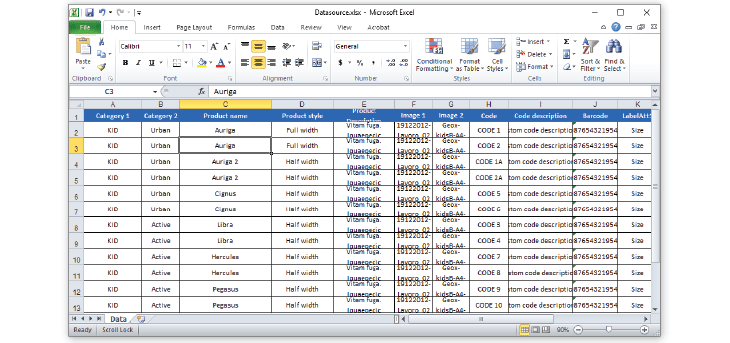
Image management and layouts
Visual quality is essential in eyewear catalogs. Pagination simplifies image uploading with flexible options:
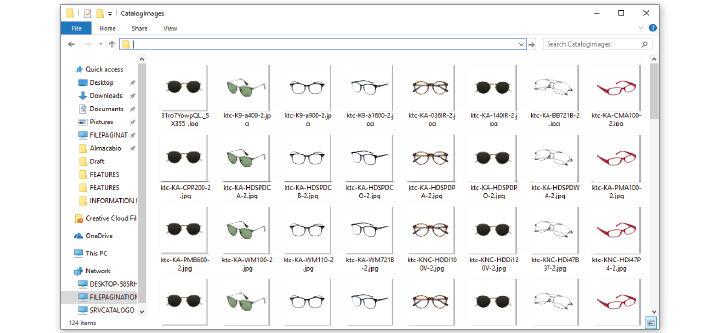
- Direct upload to Pagination: Clients can upload product images directly to the platform. The system links each image to the corresponding product automatically, ensuring visuals appear in the right position during layout generation.
- External linking (website or DAM integration): If images are managed in a DAM or on a website, Pagination can import them directly from URLs, ensuring updates reflect immediately without re-uploading assets.
- Placeholder images for confidentiality: When product visuals are under NDA or still being finalized, Pagination can use placeholder images named exactly like the final ones. When real images need to be added, they can easily be re-linked in InDesign.
Pagination also supports multiple images per product, such as front, side and angled views, or color variants of the same model.
Dynamic and brand-consistent InDesign templates
Pagination works with your existing InDesign templates or can design new ones from scratch, automating them to adapt to your data structure and visual rules.
Pagination automates multiple product layout types within the same catalog. Common eyewear layouts include:
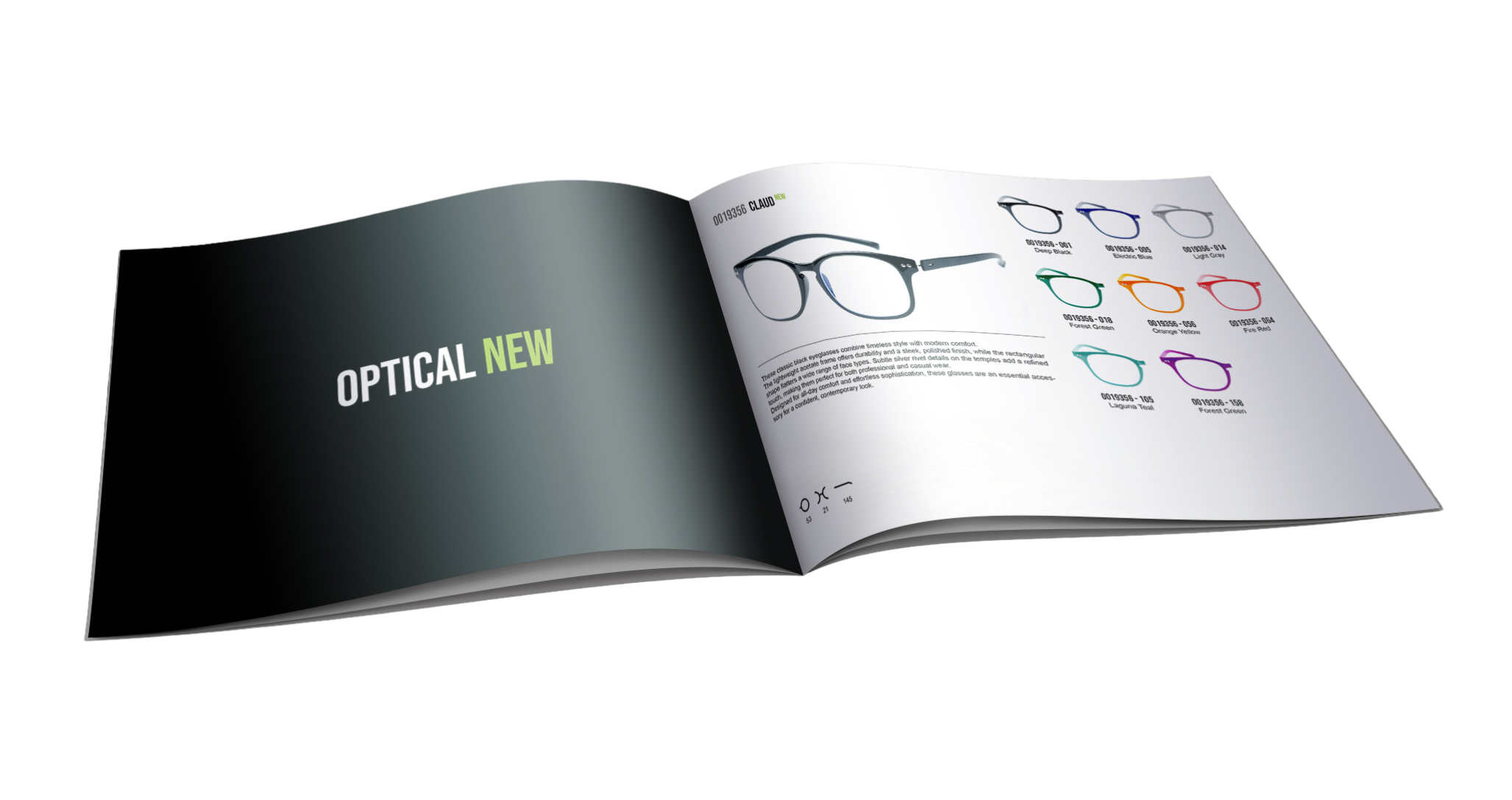
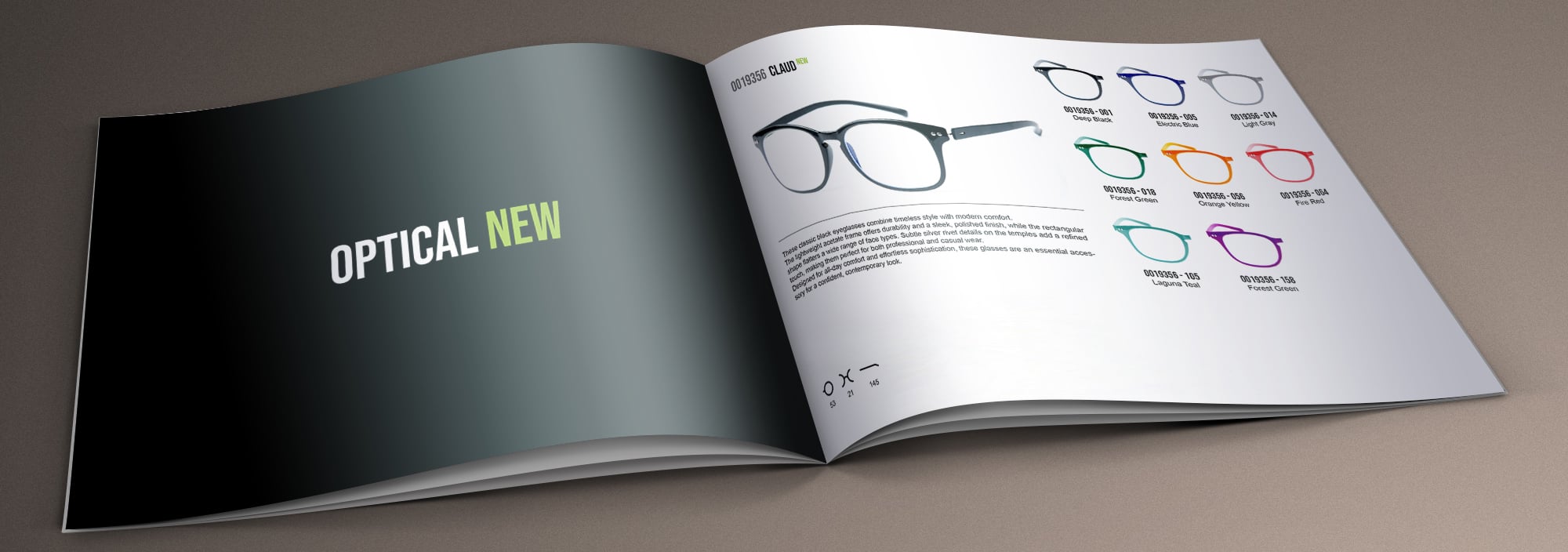
- Single-page focus: A large hero image showing the main frame, with smaller images for all color variants. Technical attributes such as lens, caliber, bridge, temple, material and icons are placed beside the product description.
- Double-page layout: A full-width lifestyle or brand image on the left page, paired with specifications and variants on the right.
- Collection overview: A section for new releases or limited editions, with large editorial visuals, followed by compact technical layouts for core products, each showing product data, color variants, and attribute icons.

Multi-market, multi-language publishing
With Pagination, you can create localized versions of your eyewear catalogs and price lists using a single InDesign template:
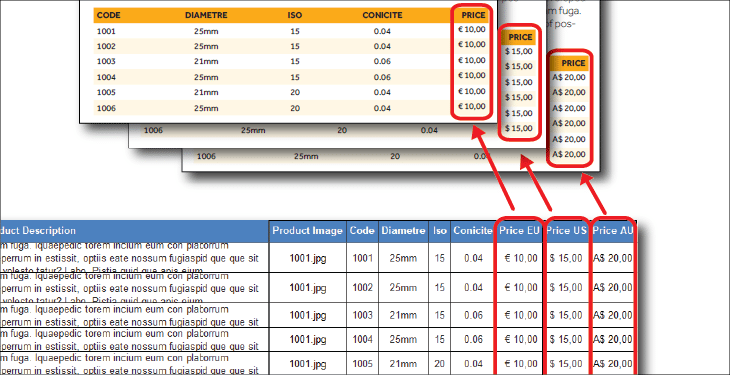
- Localized data in different languages and currencies can be uploaded to generate new multi-language and multi-pricing versions instantly.
- During the project set-up, you can also define optional elements such as attributes, logos, or sections that can be shown or hidden as needed.
This allows you to create specific versions for distributors, agents, or retailers. You can choose to display or hide fields by market or channel, and adjust currencies and localized pricing quickly across all editions.
Automatic grouping of variants and accessories
Eyewear products often include multiple variants and matching accessories. Pagination automatically groups related SKUs with accessories or features, such as:
- Color and material variants of a single frame
- Matching lenses, temples or nose pads
- Accessories such as cases or display packaging
Grouped items are shown in a structured layout that improves readability and helps sales teams identify available options at a glance.
Combine editorial and product content
Eyewear catalogs often blend technical pages with emotional storytelling: brand introductions, lifestyle campaigns and collection overviews.
Pagination lets you combine static editorial pages with data-driven product pages producing one unified InDesign or PDF document.
Output ready for every format
Every file generated with Pagination is:
- Press-ready for print (PDF)
- Optimized for digital use (interactive/web PDF)
- Editable in InDesign (INDD) for additional adjustments
Why leading eyewear companies choose Pagination
Faster collection launches
Generate complete eyewear catalogs and price lists faster with Pagination’s price list software. Once data is connected, new collections can be published instantly using the same template, even when prices or product details change.
Reliable data connection
Pagination links directly to your ERP, PIM, or Excel data. All attributes, from SKU and lens type to material and temple length, are imported automatically, reducing manual work and errors.
Unified design for all markets
With Pagination’s catalog software, you can use one InDesign template for every region. Local currencies, languages, and attributes can change, while layout, style, and branding remain aligned across catalogs and price lists.
Flexible automation control
Pagination’s InDesign automation gives your team full creative control. You decide what to automate and what to refine manually, keeping templates editable in InDesign while speeding up production and updates.
Faster updates
Reduce design and revision time with automated layouts. Pagination shortens production cycles and keeps catalogs and price lists always ready for print or digital use.
Let’s simplify your next eyewear collection launch
Pagination catalog maker helps eyewear brands bring new collections to market faster, with professional layouts, accurate data, and fully automated workflows.
Contact us or watch our demo to learn how we can streamline your catalog and price list production.