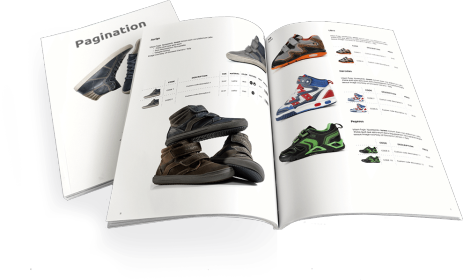
Pagination is a cloud-based database publishing software for Adobe InDesign that automates the creation of professional documents such as catalogs, price lists, and data sheets. By linking directly to your data sources, it allows teams to generate fully formatted InDesign and PDF files in minutes.
This article explores three key features designed to simplify recurring updates and multilingual projects: Price Update (Handmade Tagging) for fast manual revisions, Price Update Auto-detect for instant automatic updates, and Update Enterprise, an advanced solution for managing multilingual layouts and translations.
What is Pagination?
Pagination is a turnkey cloud-based database publishing service for Adobe InDesign, available 24/7. It automates the creation of professional documents in InDesign and PDF formats by connecting directly to your data sources, such as Excel, CSV, TXT or XML files.
Once the initial setup is complete, your team can generate fully formatted documents simply by uploading updated data to the Pagination Cloud. In just a few minutes, you’ll have ready-to-print or digital-ready files.
How it Works
To set up your automated publishing workflow, Pagination requires three key elements:
- InDesign Template: Usually designed by your creative team and sent to Pagination, the template defines the structure and visual identity of your documents. Our team connects it to your data source, enabling automatic population of all fields.
- Data File: This file, typically exported from your ERP, PIM, or e-commerce platform, contains the product information you want to display (e.g., SKU, description, price, dimensions, etc.).
- Image Files: Images can be uploaded directly to the Pagination Cloud or referenced via URLs. If URLs are included in your data file, Pagination automatically downloads and links them to the correct items.
After the initial setup (approximately 10–15 working days), you can autonomously generate as many updated versions of your documents as you need, whenever you need them.
What Kind of Documents Can You Create?
Pagination is ideal for producing documents that contain large amounts of data or require frequent updates, such as:
- Product catalogs
- Price lists
- Technical data sheets
- Advertising or product listings
Each time you upload a new dataset, Pagination rebuilds the document from scratch: refreshing tables of contents, product sections, and all related elements at an average speed of 40 pages per minute.
Template Updates and Customization
Pagination is a turnkey managed service, ensuring accuracy and reliability. If you need to modify your InDesign template (e.g., add new fields, change layouts, or update grouping logic), you simply send the updated template to our team.
We review your changes and either apply them free of charge or provide a quote if the modifications require development work. In just a few days, your updated template will be ready to use.
For customers who need full flexibility to edit templates independently, Pagination also offers additional services designed to give you more control without impacting your subscription fee.
These features are designed to simplify recurring updates, such as price changes, multilingual versions, or layout variations, while keeping the same speed and reliability of the core Pagination service:
- Price Update (Handmade Tagging)
- Price Update Auto-detect
- Update Enterprise
Price Update (Handmade Tagging)
Designed for documents that need to be created frequently, are relatively small in size, and vary greatly in layout or design – such as restaurant menus or compact product lists – this service allows you to update prices quickly and easily without redesigning the entire document.
How it works:
- The customer tags the InDesign template or replaces each product price with its corresponding item code in square brackets (e.g., [2987]).
- The customer uploads the InDesign file and the corresponding data file to Pagination
- Pagination automatically generates InDesign and PDF documents, updating each price based on the matching item codes found in the data file.
Price Update Auto-detect
The Price Update Auto-detect works similarly to the standard Price Update but is designed to make price revisions even faster when certain conditions are met. It updates price fields automatically, without the need to manually tag the InDesign document.
This service works only with templates that follow consistent layout rules: for example, when all prices share the same paragraph style or when item codes and prices appear in the same table row.
To ensure proper data matching, the InDesign file must always be named after the data file.
How it works:
- The customer creates an InDesign file
- The customer uploads the InDesign and data files to Pagination.
- Pagination’s system identifies price fields automatically and updates them with the correct values.
Update Enterprise
Update Enterprise is a group of services designed for multilingual documents or projects with highly flexible layouts. It combines several advanced tools that streamline translation and version management:
- InDesign Tag Generator
- Excel Generator
- InDesign Update
- Version Generator
How it works:
Example workflow, e.g. the customer has to create a brochure in different languages:
- The customer uploads the InDesign file in his native language (e.g., in Italian).
- Pagination generates a translation-ready Excel file (Excel Generator) and a tagged InDesign version (InDesign Tag Generator).
- The customer adds translations in the Excel file (e.g., EN, DE, FR, ES) and uploads the updated Excel file back to Pagination.
- Pagination creates an InDesign file that contains, for each paragraph, the longest text among the various translations present in the data file (InDesign Update)
- If any text overflows, the customer can review and adjust the InDesign layout as needed.
- Once finalized, the customer uploads the corrected InDesign file back to Pagination.
- Finally, the customer reloads the data file containing all translations.
- Pagination automatically generates all multilingual versions of the document, ready for print or digital distribution (Version Generator).
At first glance, the Update Enterprise service may seem similar to InDesign’s native XML Import or Data Merge features, but there are key differences that make it far more efficient and user-friendly:
- You don’t need to manually tag the InDesign file, Pagination handles tagging automatically.
- You don’t need to create a specific CSV file required by Data Merge.
- The XML file can be exported directly from InDesign when using the XML Import feature.
- Translators can work directly in a simple, structured Excel file that’s easy to complete and manage.
To conclude
With Pagination, you can automate every stage of document creation while maintaining complete control over your brand’s layout and accuracy.
Whether you need to speed up catalog production, update prices across markets, or create multilingual brochures, Pagination gives your team the tools to do it efficiently and reliably.
Contact us today or watch our demo to learn how Pagination can streamline your publishing workflow.