Turn your Plytix product data into print-ready InDesign catalogs and custom price lists with Pagination: the catalog automation software built for teams that manage high-volume document production.
The native Plytix and Pagination integration connects your PIM data, product images, translations, and prices to Pagination’s automated layout engine. Your team can generate professional PDF and InDesign documents from approved Plytix data, without manual exports, Excel reformatting, or copy-paste work.
The finished PDF can also be sent back to the Plytix DAM as a versioned asset, ready to share with sales teams, distributors, customers, or digital channels.
Why Manual Catalog Production Becomes Hard to Scale
Catalog production often follows the same manual chain: export product data from Plytix, clean or reformat it in Excel, place it into InDesign, export the PDF, then upload the final file back to the DAM.
It is a repetitive process that becomes difficult to manage when product data, prices, images, or translations change. Each update can mean reopening the file, checking the content, regenerating the PDF, and making sure the latest version is shared with the right people.
Time-consuming updates: every new document can require hours of repetitive layout adjustments and checking work.
Manual error risk: one copy-paste mistake, outdated price, or missing image can spread across dozens of pages.
Disconnected PDF versions: when product data changes in Plytix, previously generated PDFs can quickly become outdated unless the workflow is rebuilt manually.
From Plytix to PDF and InDesign Output
Plytix is your single source of truth for product data. Pagination is the document automation engine. See how it works.
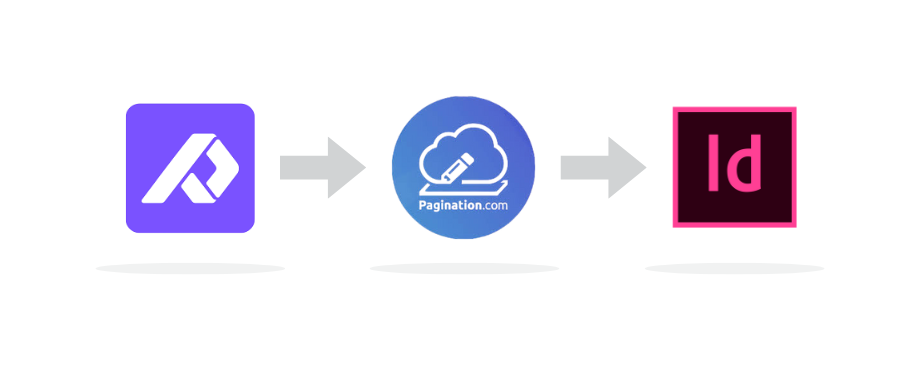
Product information starts in Plytix. Pagination imports the selected data and images, lays out the document using your InDesign template, generates the final output, and can send the finished PDF back to the Plytix DAM.
Once your PIM is connected to Pagination, every product update flows directly into your branded InDesign template, in any language and any currency. This is the value of a native integrations.
Two Ways To Launch Your Plytix-Powered Catalogs
Choose how your team prefers to work: launch from Pagination for more control, or from Plytix to stay inside your PIM.
Launch from Pagination
Launch from Plytix
Best for
Teams that want full control on each launch
Sales reps and operators who stay inside Plytix
Where you click
Pagination web app
Plytix Channel, “Process Now” button
Product List selection
Live dropdown in the launch flow
Pre-configured in the Plytix Channel
Language and currency selection
Per-launch options
Pre-configured in the webhook payload
Plytix login required
No
Yes
Pagination login required
Yes
No
Required package
Standard Plytix integration
Pagination API package
Setup time
Standard onboarding
Webhook configured in under an hour
Scheduling
Manual launch
Native Plytix Scheduling supported
What the Plytix and Pagination Integration Automates
Multilingual catalogs: translations live as attributes on a single Plytix SKU. Pick the target language at launch, and Pagination outputs a dedicated PDF per market.
Multi currency price lists: the same SKU can carry multiple price attributes (EUR, GBP, USD, CHF, and more). One Product List produces multiple market specific outputs without duplicating products.
Smart product selection: Plytix Product Lists segment your catalog by brand, season, market, customer, or any custom filter. Lists are read live from Plytix in the Pagination launch screen, with no re-export required.
PDF sync back to the Plytix DAM: every generated PDF is uploaded back to the DAM as a uniquely identified asset, so versions never overwrite each other.
Integrated DAM image handling: Pagination uses the public image URLs exposed by Plytix Channels to place product images directly into your InDesign template. No manual upload, no folder preparation. High resolution images stored elsewhere can be matched on SKU.
ERP and PIM combination: when prices or assortments live in SAP, Oracle, NetSuite, or another ERP, Pagination merges them with Plytix attributes at runtime. The PIM stays clean for marketing data; the ERP remains the source of truth for prices.
Native Plytix scheduling: Plytix’s built in Scheduling feature triggers “Process Now” on a recurring interval. Pagination paginates automatically and enforces the call quotas defined in your contract.
Frequently Asked Questions about Plytix Integrations
1) Do I need to be a Plytix customer to use the integration?
Yes. The integration requires an active Plytix account with a configured Plytix Channel for Pagination. We help you define the right export structure (attributes, Product Lists, DAM URLs) during onboarding.
2) Can I use the Plytix integration to create multilingual catalogs?
Yes. Pagination can generate multilingual catalogs from the translated attributes configured in Plytix. Each language edition can be generated from the same product data source, with no language limit on the Pagination side.
3) Can generated PDFs be synced back to the Plytix DAM?
Yes. The Plytix DAM integration allows generated PDFs to be sent back to the Plytix DAM as versioned assets. This can be configured per launch, so you decide whether each PDF is synced back to Plytix or kept only in Pagination.
4) Can I schedule automatic catalog generation from Plytix?
Yes. Use Plytix’s native Scheduling feature to trigger “Process Now” on a recurring interval. Pagination receives the webhook and processes it automatically. Daily/weekly/monthly cadences are all supported.
5) Can I combine Plytix product data with prices from my ERP?
Yes. Pagination can merge Plytix attributes with an ERP export at launch time, joining on SKU. This is common for B2B price lists with customer-specific pricing.
Ready to automate catalogs from Plytix?
Connect your Plytix PIM to Pagination once, and turn every product update into a print ready PDF, automatically, in any language, in any currency, synced back to your DAM.
Most teams go from kickoff to first automated catalog in two to three weeks. Setup of the Plytix webhook takes less than an hour.
Let’s map your data and templates together. Bring your Plytix account and your most demanding catalog, and we will show you how Pagination handles it.
Publishing a product catalog or a price list is a challenging task that can put pressure on even the best marketing teams.
You can use Pagination, the Catalog Software, to automatically create beautiful documents in just a few seconds that are always ready for print or digital distribution.
To provide the best experiences, we use technologies like cookies to store and/or access device information. Consenting to these technologies will allow us to process data such as browsing behavior or unique IDs on this site. Not consenting or withdrawing consent, may adversely affect certain features and functions.
Functional
Always active
The technical storage or access is strictly necessary for the legitimate purpose of enabling the use of a specific service explicitly requested by the subscriber or user, or for the sole purpose of carrying out the transmission of a communication over an electronic communications network.
Preferences
The technical storage or access is necessary for the legitimate purpose of storing preferences that are not requested by the subscriber or user.
Statistics
The technical storage or access that is used exclusively for statistical purposes.The technical storage or access that is used exclusively for anonymous statistical purposes. Without a subpoena, voluntary compliance on the part of your Internet Service Provider, or additional records from a third party, information stored or retrieved for this purpose alone cannot usually be used to identify you.
Marketing
The technical storage or access is required to create user profiles to send advertising, or to track the user on a website or across several websites for similar marketing purposes.