How to transform Your Salesforce Pricebook into Printable PDFs
Register and Download
Ever struggled with sharing your Salesforce pricebook data with clients? You’re not alone! While Salesforce is fantastic for managing your product pricing internally, transforming that information into professional, shareable documents can be challenging. Fortunately, there are several ways to convert your pricebook Salesforce data into polished PDFs that truly represent your brand.
Understanding Salesforce Pricebooks: The Basics
At its core, a Salesforce pricebook serves as your digital catalog of products and their corresponding prices. This powerful tool determines which products your team can sell and at what price points: essentially forming the backbone of your sales operations, quotes, and product offerings.
Standard vs. Custom Price Books: What’s the Difference?
When working with Salesforce, you’ll encounter two main types of price books:
- Standard Price Book: Automatically generated by Salesforce, containing all your products with their standard price Salesforce settings
- Custom Price Book: Tailored lists with specialized pricing that lets you customize offers for different market segments
For instance, you might rely on your standard pricebook for everyday sales, while creating a custom price book offering special rates for loyal partners or specific geographic markets.
Creating Your Salesforce Pricebook in 4 Simple Steps
Setting up and managing a price book Salesforce is surprisingly straightforward. Here’s how to get started:
- Navigate to the Price Books tab in your Salesforce dashboard
- Click the “New” button to create a fresh price book
- Give it a meaningful name and mark it as “Active” to enable use in opportunities
- Begin adding products from your catalog along with their respective prices
Pro Tip: Check out the official Salesforce guide for detailed instructions.
Remember, you can create multiple custom price books, each tailored to different customer segments or sales strategies.
Exporting Your Salesforce Pricebook Made Simple
Once you’ve perfected your price book, you’ll likely want to share it externally. Salesforce offers straightforward export options:
- Go to Reports > Products and Price Books
- Click the “Export” button
- Name your file and choose either CSV or Excel format
Check this guide for more information. The exported file contains all your pricing data, but it’s not quite ready for client eyes yet.
Transforming Your Pricebook into a Professional PDF
After exporting, you’ll need to convert your data into a client-ready, printable documents. Let’s explore your options:
Option 1: Manual Excel to PDF
If you’re working with a smaller product catalog or need a quick solution:
- Open your exported Excel/CSV file
- Enhance it with proper formatting, headers, company branding, and a consistent color scheme
- Save or print as a PDF document
Warning: While this method works for occasional needs, it becomes tedious and error-prone when managing multiple price books or frequent updates. Plus, the end result might not look as professional as you’d like.
Option 2: Automated Document Generation
For those serious about efficiency and professional presentation, automation tools like Pagination integrate directly with your Salesforce pricebook to:
- Import the product price data from the download Excel file
- Apply professionally and customised InDesign templates to generate branded PDF Salesforce pricebook documents
- Automatically update whenever pricing changes occur, just by re-uploading your data.
Check here more information about how Salesforce data can be uploaded to Pagination.
The benefits are substantial:
- Drastically reduced time for creating and updating pricing documents, especially if you need to create multiple documents in different languages or currencies.
- Improved accuracy and consistency across all materials
- Enhanced brand presence with visually appealing, professional layouts
- Simple updating process: just upload new data and download fresh documents in minutes
For teams regularly creating Salesforce pricebook catalogs for different customer segments, these automation tools eliminate repetitive work while ensuring consistently professional results.
Frequently Asked Questions
How do I export a price book from Salesforce?
Use either the Salesforce Reports feature or Data Loader to export as CSV or Excel.
Can I generate an automated catalog from my Salesforce pricebook?
Absolutely! Tools like Pagination can transform your Salesforce data into professional catalog-style PDFs automatically.
What’s the most efficient way to create a printable version of my Salesforce price book?
For the best balance of efficiency and quality, automated document generation tools that combine your Salesforce data with design software like InDesign are unmatched.
How can I share my Salesforce price book with clients?
After generating your PDF, you can email it directly, upload it to your CRM, or host it on a client portal. It’s also perfectly formatted for printing when needed.
Taking Your Salesforce Pricebook to the Next Level
Converting your Salesforce pricebook into a shareable, printable pricebook doesn’t have to be complicated or time-consuming. Whether you choose the manual approach or embrace automation, your goal remains the same: providing clients with clear, accurate, and professionally branded pricing information.
If scaling your operations and maintaining brand consistency are priorities, investing in document automation solutions like Pagination could transform how you manage and share pricing information.
Ready to streamline your Salesforce pricebook exports? Explore how Pagination works and take your pricing documents to the next level.



Pricebook automation?
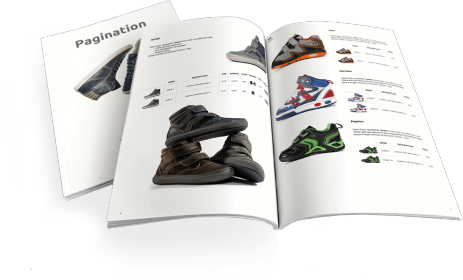
Publishing a price book is a challenging task. You can use Pagination Price Book Software to automatically create beautiful documents in just a few seconds that are always ready for print or digital distribution.
Ready to simplify your price book creation process?
Watch the video demo and discover how automation can work for you.
 Watch demo
Create your automated document!
Use one of our free InDesign Templates or upload your own layout. Create documents anytime and from anywhere.