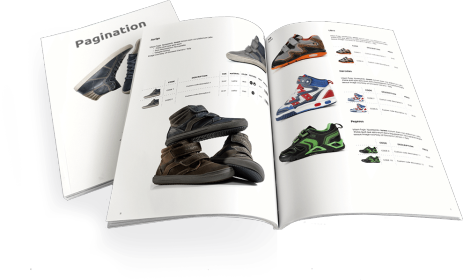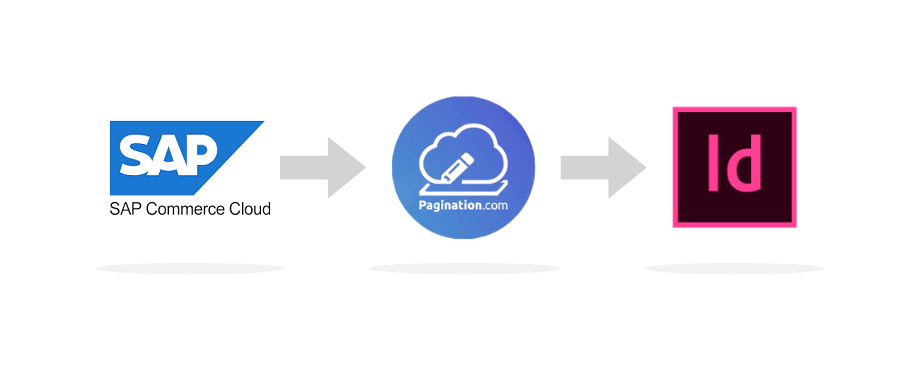
SAP Commerce Cloud, the platform formerly known as SAP Hybris, stores the structured product data that catalogs and price lists are built from. Pagination connects to that data and automatically produces professional documents in both PDF and InDesign formats: catalogs, price lists, product sheets, and technical documentation.
Manufacturers and distributors worldwide use Pagination to generate brand-consistent, multilingual documents directly from SAP Commerce Cloud, in minutes instead of weeks. If you still know the platform as SAP Hybris, the workflow is exactly the same: SAP rebranded the product, but the data structure hasn’t changed.
On this page
1. Why SAP Commerce Cloud Is the Right Starting Point for Catalog Automation
2. The Problem: From SAP Commerce Cloud to Print-Ready Documents
3. Why Print Catalogs and Price Lists Still Matter
4. How Pagination Turns SAP Commerce Cloud Data into Ready-to-Use Documents
5. Real-World Use: SAP Commerce Cloud Catalog Automation at Scale
6. SAP Hybris Is Now SAP Commerce Cloud
7. What Makes Pagination Different from SAP’s Built-In PDF Export
8. Frequently Asked Questions
9. Get Started
Why SAP Commerce Cloud Is the Right Starting Point for Catalog Automation
SAP Commerce Cloud (SAP Hybris) is built to manage the kind of structured product information that catalogs and price lists require. It handles:
- Product hierarchies and categories: grouping SKUs into families, lines, and segments that map directly to catalog sections
- Rich marketing descriptions: long-form sales copy, technical specifications, and feature lists ready for print
- Multilingual content: product data in multiple languages, managed centrally and exportable per locale
- Product media and assets: images, dimensional drawings, and lifestyle photography associated with each product record
- Pricing by market: regional price lists with locale-specific formatting (decimal separators, currency symbols, tax rules)
When this data sits in SAP Commerce Cloud, it is already organized for catalog production. The challenge is getting it into a print-quality layout without manual rework.
The Problem: From SAP Commerce Cloud to Print-Ready Documents
Most SAP Commerce Cloud installations include a basic PDF export. But the output rarely meets the standards of professional print publishing:
- No typographic control: HTML-to-PDF engines cannot handle grids, bleeds, slugs, CMYK color spaces, or the fine kerning and hyphenation that print requires
- No layout intelligence: tables break across pages unpredictably, images lose resolution, and white space is inconsistent
- No brand consistency: the resulting PDFs look functional, not professional. On paper, every imprecision is visible
Print and PDF documents carry higher expectations than web content. A catalog represents the brand. A price list drives purchasing decisions. Both need to look as if a designer built them: with Pagination, one did.
Why Print Catalogs and Price Lists Still Matter
When product details are stored in SAP Commerce Cloud, presenting them on the web is straightforward. But certain contexts demand a well-structured, complete document designed for print or digital distribution:
- Sales enablement: field teams need offline-ready materials that present the full product range in a professional format
- Brand authority: a printed catalog conveys higher product value than a web listing
- Easier product discovery: structured layouts, curated sequences, and cross-references help customers find what they need faster than browsing a website
Catalogs and price lists serve both sales and marketing teams by bringing consistency to the company’s message and following brand style guidelines across every market and language.
How Pagination Turns SAP Commerce Cloud Data into Ready-to-Use Documents
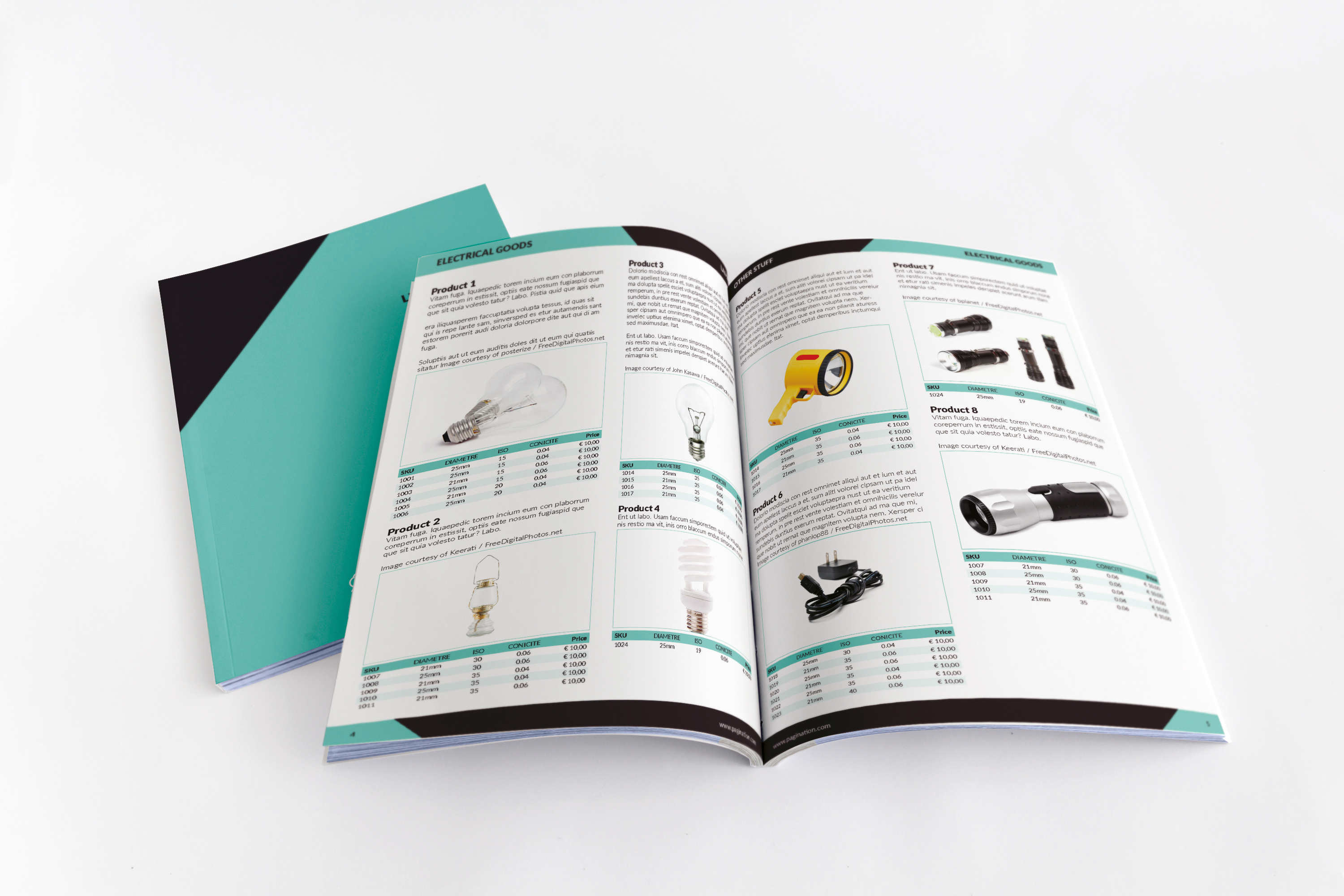
Pagination is a cloud publishing service that takes structured product data and automatically generates production-quality documents in both InDesign and PDF formats. The workflow is straightforward:
1. Export Product Data from SAP Commerce Cloud
Product information (descriptions, specifications, pricing, categories, image references) is exported from SAP Commerce Cloud into a structured format. This can be done through:
- Browser upload: export a file from SAP Commerce Cloud and upload it to Pagination through the web interface
- API integration: connect SAP Commerce Cloud directly to Pagination for automated, scheduled catalog generation
- Structured Excel files: use Pagination’s load file format to map SAP Commerce Cloud fields to catalog sections
2. Apply Templates
Your design team creates the template once: layout grids, typography, color palette, brand elements. Pagination applies this template to every document it generates, so the output matches your brand standards exactly.
3. Generate Documents Automatically
Pagination processes the data and produces:
- Print-ready PDFs: with CMYK color profiles, bleeds, crop marks, and correct resolution, ready to send to the printer
- Digital PDFs: optimized for screen viewing, email distribution, and download from your website
- Editable InDesign files (.indd): when your design team needs to review or fine-tune the layout before production
Many customers use the PDF output directly, without opening InDesign at all. Others use InDesign for final adjustments on specific pages. Pagination supports both workflows.
Static and dynamic sections merge together automatically. A 200-page catalog generates in minutes. A price list update takes seconds.
4. Repeat for Every Market and Language
Because the data drives the output, producing a French edition, a UK price list, or a regional catalog with different column ordering is a configuration change, not a rebuild. Multilingual content from SAP Commerce Cloud flows into the correct template for each locale.
Real-World Use: SAP Commerce Cloud Catalog Automation at Scale
Global manufacturers use Pagination to produce technical catalogs and price lists from SAP Commerce Cloud data across multiple markets and languages every year. One example: a leading industrial weighing and measurement company automated its entire catalog production from SAP Product Content Management, generating multi-market editions in PDF and InDesign with locale-specific formatting and automated image placement, a workflow that had previously required manual rework at every update cycle.
A typical SAP Commerce Cloud catalog automation workflow involves:
- Product data from SAP Product Content Management (PCM) or SAP Commerce Cloud, managed by a dedicated PIM team
- Multi-market editions: EUR, UK, French, and other regional catalogs, each with locale-specific column ordering, decimal separators, and price display rules
- Automated image placement: product images fetched via URL and placed in the layout automatically, including waterfall image sets for product families
- Shared accessories and components: consistent naming, pricing, and specifications across product lines and editions
- Annual update cycles: new editions generated on demand by updating the data file, without rebuilding layouts from scratch
The design team controls the templates. The data team controls the product information. Neither steps on the other’s work.
SAP Hybris Is Now SAP Commerce Cloud
If you are searching for “SAP Hybris,” you should know that SAP rebranded the platform. What was once SAP Hybris Commerce is now SAP Commerce Cloud, part of the SAP Customer Experience (CX) suite. The product data model is the same: the name changed, the structure didn’t.
Pagination has been working with SAP Hybris customers since before the rebrand, and continues to support every version of the platform:
| Platform Name | Status | Pagination Support |
|---|---|---|
| SAP Hybris Commerce | Legacy name | Supported via structured export |
| SAP Commerce Cloud | Current name (same platform) | Supported via structured export or API |
| SAP Customer Experience (CX) | Suite that includes Commerce Cloud | Supported: same data model |
| SAP Product Content Management (PCM) | Product data module | Supported: product data exports directly |
| SAP Product Content Hub | Newer PIM component | Supported: structured load file integration |
Whatever name your SAP installation goes by, the product data structure is compatible with Pagination’s document generation engine. If the data can be exported as structured fields (categories, attributes, descriptions, prices, image URLs), Pagination can produce the catalog or price list as PDF, InDesign, or both.
Working from SAP ERP data instead? See SAP to InDesign & PDF.
What Makes Pagination Different from SAP’s Built-In PDF Export
| Capability | HTML-to-PDF (built into SAP) | Pagination |
|---|---|---|
| Output format | PDF only | InDesign (.indd) + PDF |
| Typographic quality | Basic: web rendering rules | Professional: print-industry standards |
| Layout control | Limited: CSS-based | Full: grids, bleeds, slugs, CMYK |
| Editability | None: closed PDF | Full: native InDesign files |
| Multilingual support | Manual per-language builds | Automated per-locale generation |
| Brand consistency | Dependent on CSS styling | Template-driven, designer-controlled |
| Speed at scale | Slow for large catalogs | Minutes for hundreds of pages |
Pagination uses InDesign as its typographic engine, which means every PDF it produces meets professional print standards, even when the end user never opens InDesign.
Frequently Asked Questions
Can I automate the entire workflow from SAP Commerce Cloud to PDF?
Yes. With API integration, document generation can be triggered automatically whenever product data is updated in SAP Commerce Cloud. PDFs are produced without manual intervention: no export, no upload, no InDesign required.
What document types can I create from SAP Commerce Cloud data?
Product catalogs, price lists, technical data sheets, product brochures, and any document that combines structured product information with a designed layout.
Does Pagination handle multilingual catalogs from SAP Commerce Cloud?
Yes. Multilingual product data stored in SAP Commerce Cloud generates separate editions per language automatically, each with locale-specific formatting (decimal separators, date formats, currency symbols).
Is SAP Hybris the same as SAP Commerce Cloud?
Yes. SAP Commerce Cloud is the current name for the platform formerly known as SAP Hybris. SAP rebranded it, but the product data model is the same. Whether your team calls it SAP Hybris, SAP Commerce Cloud, or SAP CX, Pagination works with all versions.
Can I use Pagination if my company is migrating from SAP Hybris to SAP Product Content Hub?
Yes. Pagination supports both the legacy SAP Hybris / PCM data exports and the newer SAP Product Content Hub. The switch is transparent: your catalog production workflow continues without interruption.
Get Started
Customers from all around the world are using Pagination to create catalogs and price lists from their SAP Commerce Cloud data. See how a global manufacturer in the industrial weighing sector automated multi-market technical catalog production from SAP product data.
It is simple to create a catalog from SAP Commerce Cloud data because the information exported by this platform is already organized in a way suitable for use with Pagination, whether you are on the latest SAP Commerce Cloud version or still running SAP Hybris.
Contact us to see Pagination in action with your SAP data, or request a demo to get started.