An Enterprise Resource Planning (ERP) system is the operational heart of most businesses. It centralizes inventory levels, product specifications, pricing structures, and supplier information across every department, ensuring that operations run smoothly and data remains synchronized.
But when it comes to creating product catalogs, price lists, or brochures, many companies still rely on manual InDesign work.
Despite having a comprehensive ERP, marketing teams often face the same challenge: how to transform that operational data into professional and ready-to-publish catalogs without spending weeks copying and formatting content manually?
This is where automation bridges the gap. Pagination catalog maker connects your ERP data directly to InDesign templates, enabling you to create catalogs and other sales materials automatically, using the same data that powers your operations, inventory management, and order processing.
The Challenge of Manual Catalog Production
Even with a robust ERP in place, producing catalogs can remain one of the most time-consuming marketing tasks. Marketing and design teams often export data from their ERP into Excel, then manually import or copy it into InDesign files.
This manual process creates several recurring problems:
- Time and resource drain: Updating hundreds or thousands of products requires hours of repetitive work. Every change in the data (from a price adjustment to a new product launch) triggers a cascade of manual edits across multiple layouts.
- High risk of human error: Copying data by hand inevitably leads to typos, missing images, or inconsistent details between print and digital materials.
- Outdated documents: By the time a catalog is reviewed and printed, prices or product information may already have changed in the ERP.
- Limited scalability: Managing one catalog is doable; managing ten versions for different markets or languages is not.
In short, manual workflows block the full potential of your ERP investment. Your business data may be perfectly organized, but without automation it doesn’t easily become content.
Automating Catalog Creation with Pagination’s API
Pagination solves this disconnect between data and design. Its cloud-based database publishing platform automatically transforms structured business data into professional catalogs, price lists, and product sheets.
By connecting directly to your ERP, inventory system, or business database, Pagination lets you easily publish ready-to-print documents whenever you need them, without manual editing or graphic bottlenecks.
Here’s what automation delivers:
- Instant updates: Each time your ERP data changes, you can generate a new version of your catalog in minutes, with updated product names, descriptions, images, and prices.
- Design consistency: Your layouts remain 100% aligned with your brand identity, using professional InDesign templates that you can customize or provide.
- Error-free publishing: Because content comes directly from your verified ERP data, there’s no risk of mismatched information or formatting mistakes.
- Scalable versions: Generate catalogs for different markets, languages, or customer segments from the same data source, automatically filtering and grouping products as needed.
- Full InDesign and PDF output: Pagination creates both editable InDesign files and ready-to-print PDFs, so your design team keeps full control for last-minute refinements or localized adjustments.
How It Works: From ERP Data to Product Catalogs
Pagination integrates seamlessly with leading ERP platforms and can also connect through a flexible API to custom or proprietary systems. The process is designed to be straightforward yet powerful:
1. Connect Your ERP Data
Pagination can pull data directly from your ERP via API or through exported files. Each product field (name, SKU, description, image URL, price, stock level, etc.) is mapped to the corresponding element in your InDesign template. This ensures that every product attribute appears exactly where it should in your layout.
2. Use Your InDesign Template
You can provide your own InDesign layout, or Pagination’s design team can help create one tailored to your brand. The template defines the structure: product tables, image placement, titles, section headers, etc.
Once connected, Pagination automatically populates these templates with your ERP data, repeating design elements dynamically to handle any number of products, variants, or categories.
3. Generate Your Catalog
After data mapping and template setup, catalog generation is just one click away. Pagination processes your data and creates both an InDesign file (.indd) and a print-ready PDF.
For example, you can publish:
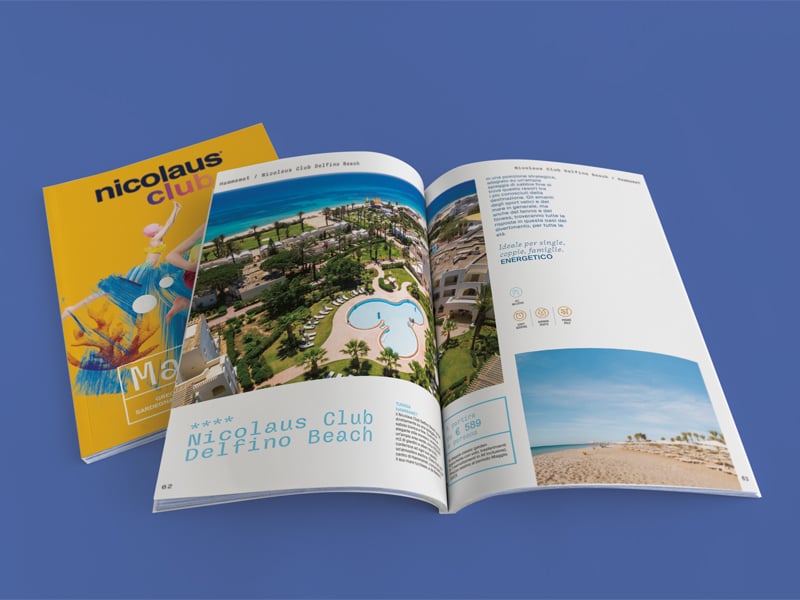
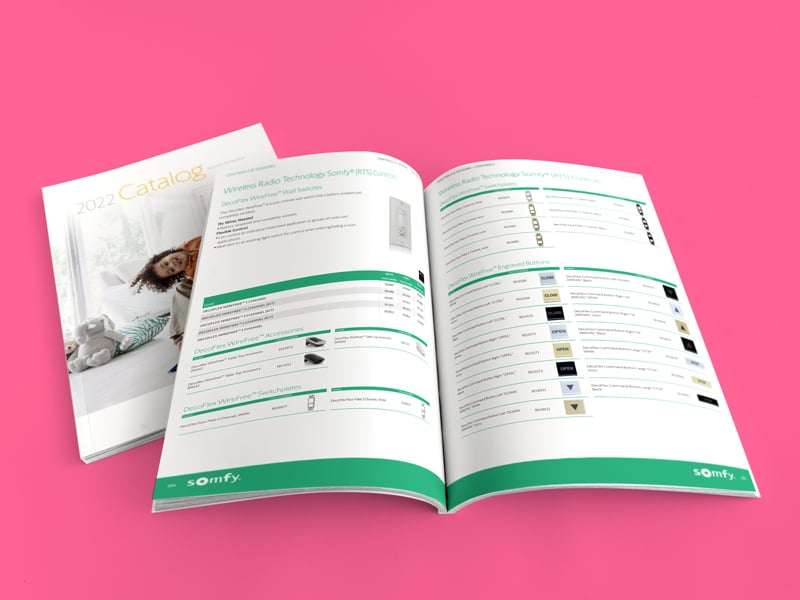
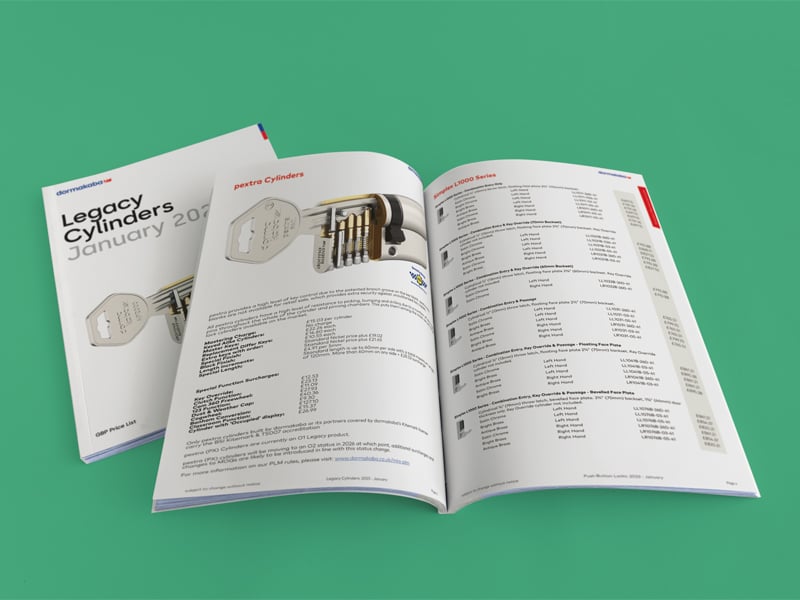
- Complete catalogs
- Price lists customized by region, language, or product line
- Shorter brochures for specific campaigns or distributors
Or any other document that your team requires, since the automation is based on your InDesign template.
4. Update in Minutes
Whenever your ERP data changes, like new products, updated prices, discontinued items, simply trigger a new generation. Pagination automatically updates your document while preserving your layout.
This means you can keep your catalogs synchronized with your ERP all year long, without rebuilding them from scratch.
Conclusion: Unlock the Power of Your ERP
Your ERP holds the most accurate and complete version of your business data. But until that data becomes part of your marketing materials, it doesn’t realize its full potential.
By automating catalog creation with Pagination, you transform your ERP into a true publishing engine. Instead of exporting spreadsheets and reformatting content manually, you can generate beautiful, consistent, and up-to-date catalogs whenever you need them.
Pagination bridges the gap between data and design, giving your marketing team a faster, smarter and more controlled way to publish.
Ready to connect your ERP to Pagination?
Discover how you can generate catalogs directly from your ERP data in minutes. Watch our demo and see it in action.
FAQ: ERP to Catalog Integration
How can I create a catalog directly from my ERP data?
By connecting your ERP to a publishing platform like Pagination. Through an API or a simple data export, your product information flows directly into professional InDesign templates, ready for instant publication as PDF or digital catalogs.
Can catalog creation be automated using ERP data?
Yes. With Pagination’s API, catalog generation is fully automated. Every update in your ERP can be reflected in your catalog layout, eliminating manual editing.
What’s the best way to integrate business information into a catalog?
An API connection is the most efficient approach. It allows your ERP to send data directly to your catalog tool, which formats and arranges the content automatically.
Does Pagination support ERP integration?
Absolutely. Pagination connects with most ERP platforms, including SAP, Microsoft Dynamics, Oracle NetSuite, and others, as well as with custom databases. This enables seamless publishing of up-to-date, brand-consistent catalogs.
Is it possible to keep catalogs synchronized with real-time ERP updates?
Yes. With Pagination, product data, prices, and inventory information from your ERP can be synced in real time, so your catalogs and price lists always show the latest information, ready for print or digital distribution.