If you’re running a B2B company, your B2B product catalog is more than just a document. It’s the foundation of your sales process, the daily reference guide your distributors can’t live without and often the first impression potential customers get of your brand.
Whether you’re in manufacturing, furniture, lighting, or industrial components, having an accurate, professional catalog isn’t optional: it’s absolutely essential.
Yet, despite its strategic importance, creating a catalog often feels like a massive undertaking. It’s expensive, time-consuming, and full of moving parts that are hard to control. And in today’s market, the pressure to streamline operations is stronger than ever.
According to a recent McKinsey & Company survey, nearly two-thirds of CMOs are actively reducing marketing budgets, while also feeling uncertain about how to maintain growth during this shift. The same study estimates that companies can unlock 10–20% cost savings by cutting inefficient marketing expenses without impacting performance.
This puts catalog production squarely in the crosshairs. With its high fixed costs and heavy reliance on manual processes, it’s become one of the most obvious targets for optimization. So naturally, the question becomes: where exactly does all that budget disappear to and, more importantly, how can a catalog maker software reduce these costs?

The Hidden Costs of Traditional Catalog Production
Most B2B companies are still stuck in workflows that feel like they belong to the early 2000s. They’re stuck using manual workflows, wrestling with endless Excel spreadsheets and drowning in email chains that seem to multiply overnight. Sure, this traditional approach can produce stunning catalogs, but the price tag tells a different story entirely. Plus, it is difficult to keep up with market demands.
A timeline that drains weeks, if not months
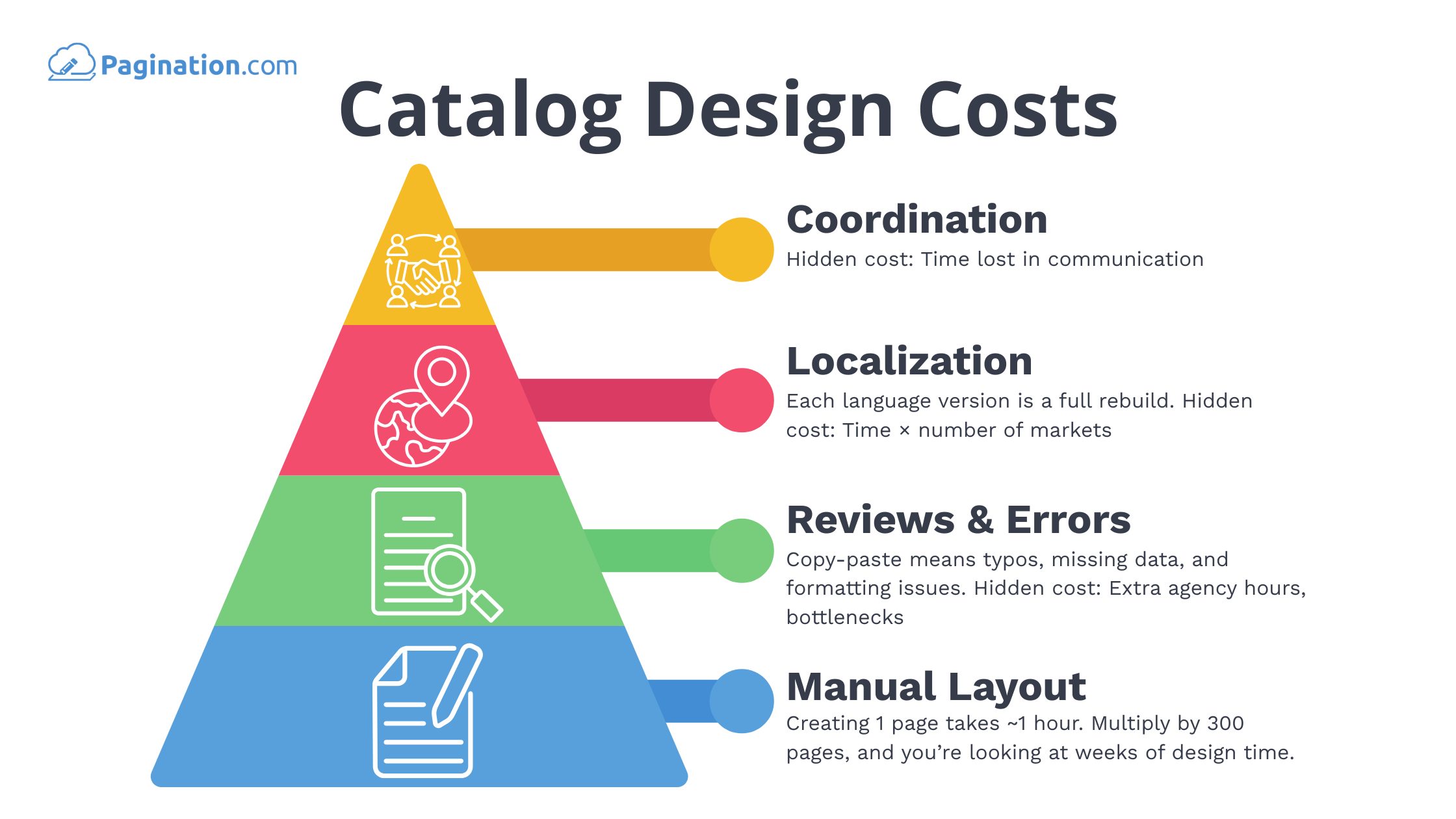
The timeline alone is enough to make any project manager break into a cold sweat. Even for a relatively modest catalog of just a few hundred pages, you’re looking at production cycles that stretch across weeks or even months. The process involves marketing teams, designers, product managers, and external agencies: all trying to coordinate their efforts while deadlines loom overhead. Every single change, whether it’s adding a new product, updating a price, or creating a translated version, triggers a cascade of new files, revised layouts and additional review rounds.
Manual Layout: 300 Pages = 300 Hours
Then there’s the actual layout work, which is where things get really expensive. Creating a single catalog page manually takes approximately one hour if you want a polished, brand-consistent result. This means a 300-page catalog quickly balloons into 300 hours of pure graphic design labor: and that’s before anyone even starts reviewing the work.
Mistakes Multiply Costs
Speaking of reviews, here’s where the costs really spiral out of control. With so much manual copy-pasting involved, mistakes become practically inevitable. Typos slip through, formatting gets inconsistent, SKUs go missing and each error leads to another costly review cycle. Most agencies build only a limited number of revisions into their initial quote, so every additional round of changes inflates the budget further. When you factor in catalog printing costs for reprints due to errors, the financial impact becomes even more substantial.
Localization: A Whole New Catalog Every Time
The situation becomes even more complex when you factor in localization. If your company sells internationally, each language version essentially requires rebuilding the entire layout from scratch. Multiply that effort by four or five different markets, and you’re looking at recreating the same document multiple times, each with its own unique set of challenges and costs.
How Much Does It Cost to Make a Catalog?
Let’s break down what this actually costs in concrete terms, because the numbers might surprise you. Of course, it is difficult to accurately estimate the cost of producing a catalogue. We have provided an estimate based on market prices.
For a typical 300-page catalog, you’re looking at a minimum of $2,000 just for the initial graphic design setup. From there, each individual page costs between $20 and $45 to paginate properly, depending on the complexity of your content. This brings your total catalog design cost to somewhere between $10,000 and $12,00 and that’s assuming everything goes smoothly the first time around.
However, that figure can climb significantly higher if your catalog includes technical specifications, modular product configurations, or dense tables packed with detailed product information. Moreover, this is just the catalog design cost for your first version.
The moment you need seasonal updates, additional language versions, or revised pricing, you’re either paying these fees all over again or assigning your internal teams to spend weeks buried in tedious manual edits. Plus, don’t forget that catalog printing costs will add substantially to your total budget, especially when errors force expensive reprints. Either way, the costs keep accumulating.
How to Cut Costs with a Catalog Maker
Fortunately, there’s a fundamentally better way to handle catalog production, and it doesn’t require sacrificing quality or professional appearance.
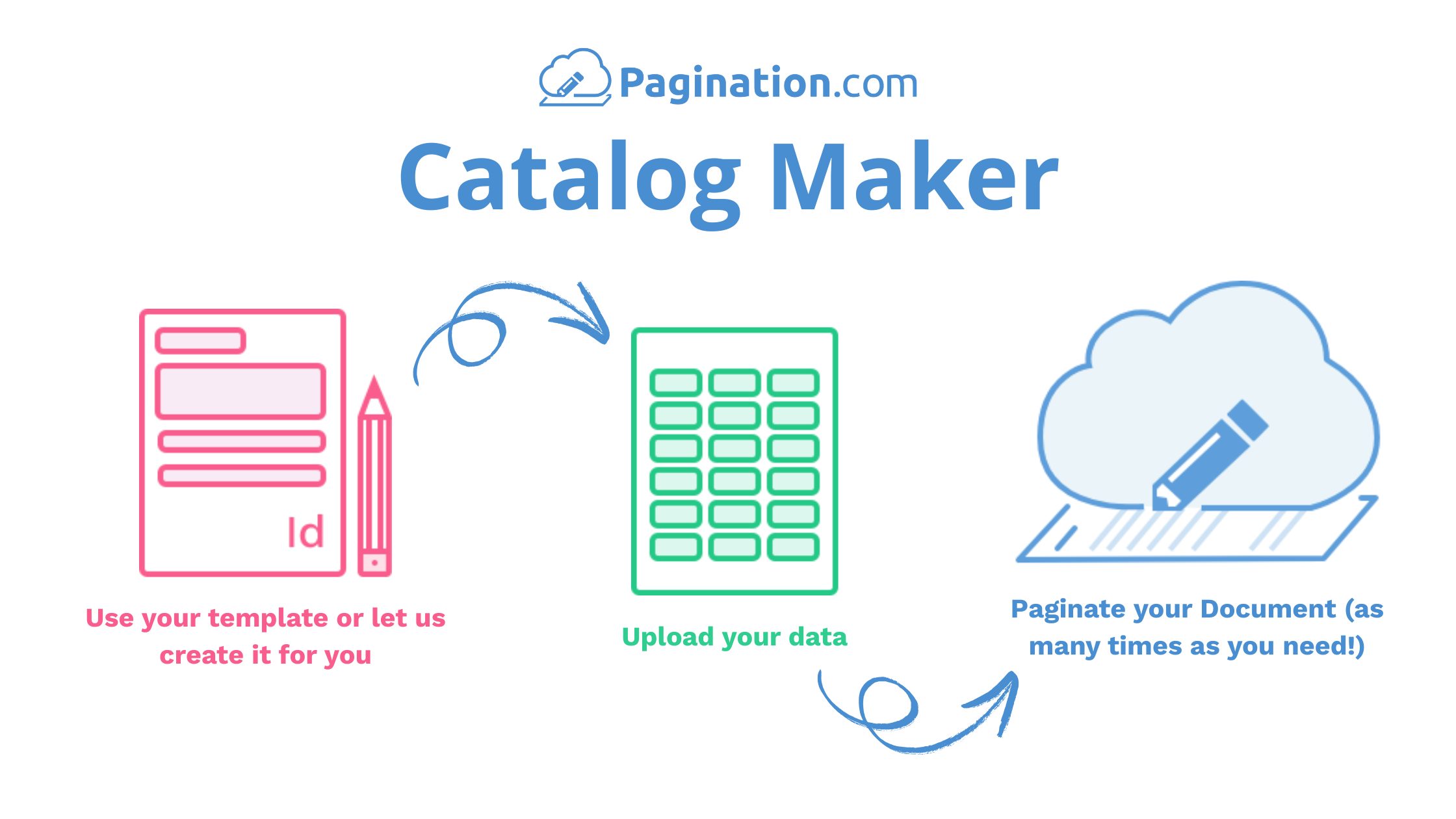
An efficient catalog maker like Pagination transforms the entire process by automatically generating catalogs directly from your existing product data, using your own carefully crafted InDesign templates. Instead of building every single page by hand, you simply upload your spreadsheet and within minutes, you have a professionally and user-friendly formatted catalog ready to go.
This approach eliminates the tedious copy-paste work that consumes so much time and introduces so many errors. No more manually realigning text boxes after every small change. No more spending hours tweaking layouts because a single product specification got updated.
When you need to refresh your catalog (and let’s be honest, you will need to refresh it regularly as prices change, products get discontinued, or you prepare seasonal versions) you don’t have to restart the entire process. You simply upload your updated data and regenerate the file. The layout remains consistent, your branding stays intact and your time-to-market drops.
International expansion becomes surprisingly manageable too. Need your catalog available in eight different languages? With Pagination, you can create all those language versions within a single streamlined workflow, without duplicating your effort or depending on external agencies for each version.
Perhaps most importantly, because the content pulls directly from your structured data sources, you automatically avoid most of the human errors that plague manual production processes. See Pagination’s custom integrations.
How a Professional Catalog Maker Reduces Design Costs
One aspect that sets a professional catalog maker like Pagination apart from generic software solutions is our commitment to building the right system for your specific needs rather than forcing you to adapt to our limitations.
Every project begins with an in-depth conversation. Whether you’re working with an existing catalog that needs optimization or starting completely from scratch, we collaborate closely with your team to understand your goals, constraints and data structure.
Our designers and developers then propose the most effective approach for your particular situation, whether that involves managing versions across ten different languages, integrating seamlessly with your ERP system, or creating layouts that can handle hundreds of detailed product specifications per page.
This isn’t a one-size-fits-all software package that you have to adapt to. Instead, it’s a complete database publishing software designed around your specific workflow, brand requirements, and output needs. You get all the flexibility of a fully custom solution without the typical catalog design cost complexity or expense of building and maintaining it internally.
Professional Design Without the Waste

A common concern with automated systems is whether they can maintain the design quality that your brand demands. With Pagination, however, you’re never locked into generic layouts or rigid templates that compromise your brand identity.
You continue using your own InDesign files, designed to perfectly match your brand guidelines and visual standards. Pagination populates these templates dynamically with your product data. Once your layout is established and refined, you can reuse it across different versions, seasons, and languages without any additional design work, extra fees, or compromises to your visual identity.
Streamlined Collaboration and Faster Results

Traditional catalog production typically involves multiple handoffs between marketing, design, product management, and sales teams. Files get lost in email chains, feedback loops stretch on indefinitely, and delays become routine rather than exceptional.
Pagination changes this dynamic entirely by moving everything to a cloud-based system where everyone works from the same authoritative source of truth. Team members don’t need InDesign skills to contribute effectively. There’s no need to wait for agency availability or ask designers to “just fix this one small thing.” You can generate new versions yourself, directly from your browser, whenever you need them.
Print Smart, Not Just More

In traditional workflows, once you’ve committed to printing 1,000 copies of your catalog, you’re essentially locked in. If prices change or products get updated, those printed catalogs become expensive paperweights. That’s wasted money, wasted paper, and wasted storage space.
Pagination solves this problem by ensuring you always have access to the most current PDF version, optimized for both web distribution and print production. You can generate fresh files on demand and print only the quantities you actually need, avoiding both last-minute reprints and the costly overproduction that plagues traditional workflows.
Adapting to Database Changes
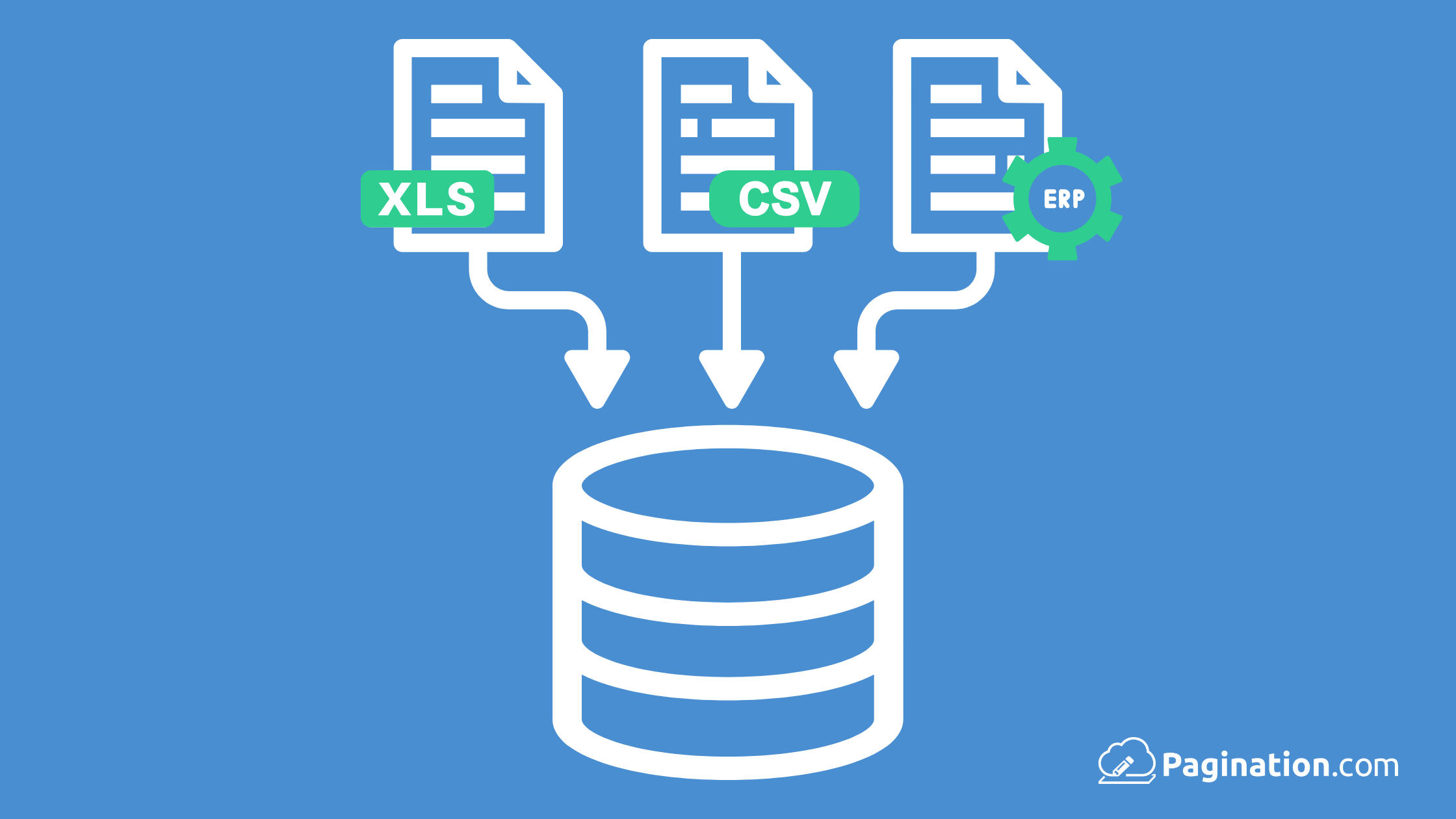
Here’s where Pagination really demonstrates its value: flexibility in the face of change. When you update your Excel spreadsheets, you can feed the new information into your existing project and generate an updated catalog without rebuilding anything from scratch.
There are no additional fees for updating prices, swapping images, or revising product descriptions. You don’t have to pay agency fees for every minor adjustment. Once the system is properly configured, you maintain complete control over the process.
The Bottom Line: Real Savings You Can Measure
Let’s return to our earlier example to see how these improvements translate into actual cost savings. Instead of spending $10,000 to $12,000 to produce a 300-page catalog using traditional manual methods, you could complete the same project with Pagination starting from $120 per month, depending on complexity and specific requirements.
That represents savings of up to 80% on production costs alone, but the real value multiplies when you consider how frequently most companies need to update their catalogs. Beyond the direct cost savings, our clients typically reduce their catalog production time by more than 70% while eliminating dozens of repetitive tasks that previously caused errors and delays. The result is faster time-to-market, lower overall costs and a more reliable, predictable process.
Building Catalogs That Drive Sales, Not Drain Budgets
Creating an effective product catalog shouldn’t consume your entire marketing budget or bring your operations to a standstill. With the right catalog maker and approach, you can produce catalogs that look exceptional, stay current with your business needs, and cost significantly less than traditional methods.
Pagination helps B2B companies transform their raw product data into professional, print-ready catalogs without the manual labor that makes traditional approaches so expensive and time-consuming. The result is a catalog that actually serves your business goals rather than just satisfying a requirement.
Curious about how much your company could save? Let’s have a conversation about your specific needs or watch our demo.