Line Sheet Software: The Smarter Way to Create Product Sheets
Register and Download
Line sheets are essential tools for brands and manufacturers that want to present their collections to buyers, distributors, and sales reps in a professional and effective way. Just like catalogs and price lists, line sheets need to be accurate, visually consistent, and quick to update.
That’s where line sheet software comes in. The right solution can transform how you produce, update, and distribute your product sheets. reducing time-to-market, minimizing manual work, and improving accuracy.
In this guide, we’ll explore how line sheet software works, which features matter most, and how automation makes all the difference.
Table of Contents
- What is Line Sheet Software?
- Benefits of using Line Sheet Software
- Line Sheet Software vs Manual Publishing
- How to Choose the Best Line Sheet Software
- Types of Line Sheet Software
- Popular Line Sheet Software
- Pagination Line Sheet Software
- Custom Layouts and Image Integration
- Data Integration from Multiple Sources
- Custom Features of Pagination Line Sheet Software
What is Line Sheet Software?
Line sheet software plays a pivotal role in modern wholesale and fashion operations. It helps you create and manage line sheets, which are documents used to present product collections to retail buyers. These sheets typically include key information such as SKUs, prices, variants, descriptions, and product images.
Line Sheet Software Core Functions
The core functions of line sheet software include:
- Product Data Import: Integrate structured data from spreadsheets, databases, PIMs, or ERPs
- Template Application: Apply predesigned or custom templates to display product details consistently
- Document Generation: Create high-quality PDFs or InDesign files with just a few clicks
- Versioning: Produce different versions of the same line sheet (e.g., by region, buyer, season)
- Media Handling: Automatically match product codes with images and insert them into the layout
Advanced Features of Line Sheet Software
Beyond these fundamental capabilities, advanced catalog software also offer
- Custom Design Tools: Advanced software often includes tools for customizing design elements like fonts, color schemes, and layouts, providing users with the ability to create unique and brand-aligned materials.
Interactive Elements for Digital Line Sheets: For digital line sheets, features like embedded hyperlinks, videos, and e-commerce functionalities can be included, enhancing user engagement and interactivity.
Integration with E-Commerce and Inventory Systems: High-end line sheet software may offer integration with e-commerce platforms and inventory management systems, ensuring real-time product availability and pricing updates. - Multilingual and Multi-Currency Support: Some sophisticated tools also support multiple languages and currencies, vital for businesses operating in global markets.

Benefits of using Line Sheet Software
Using line sheet software offers a range of benefits that significantly enhance the efficiency and quality of document creation for businesses. Below is a summary of these advantages:
- Automated Data Conversion: Automatically pull product data from various sources and format it into a line sheet layout.
- Professional Quality Output: Ensure your documents look polished and brand-aligned every time.
- Multi-Version Support: Create customized line sheets for different buyers, regions, or seasons.
- Increased Speed and Accuracy: Generate and update documents in minutes, not days.
- Multi-Channel Readiness: Create print-ready PDFs and digital versions for web, email, or social platforms.
Read more about other documents’ software for your business, such as price lists software or pricebooks software.
Line Sheet Software vs Manual Publishing
Using line sheet software over manual methods provides several critical benefits:
Efficiency and Time Management
Manual creation is time-consuming and resource-heavy. With automation, your team can reduce production cycles and respond to market changes faster.
Consistency and Accuracy
Centralized data ensures all outputs are accurate and up to date. This reduces costly errors and improves buyer confidence.
Better Brand Control
Templates maintain consistent design across all documents, reflecting your brand identity with precision.
Version Control and Scalability
Managing multiple regional or buyer-specific line sheets manually can quickly become unmanageable. Line sheet software makes it easy to scale and maintain control across thousands of SKUs.
Image Automation
Manually resizing, cropping, and positioning product images wastes time and introduces inconsistency. With automation, image handling is standardized and efficient.
Speed to Market
Fast-changing industries like fashion or electronics benefit from reduced turnaround time, enabling teams to launch new collections or assortments in record time.
Improved Collaboration
Cloud-based tools enable distributed teams, sales reps, and marketers to collaborate in real time, ensuring everyone works with the latest version of the document.
How to Choose the Best Line Sheet Software
When choosing a line sheet tool, consider these key features:
- Data Integration: Must support Excel, CSV, XML, PIM, ERP, or e-commerce data
- Template Management: Use editable templates or custom layouts
- Automation: Avoid repetitive tasks with auto-generated content
- Multi-Version Generation: Produce versions for various audiences
- Output Flexibility: PDF, InDesign, IDML formats
- Cloud-Based Access: Collaborate remotely with your team
- Image Integration: Auto-load images based on product codes or file names
Types of Line Sheet Software
Line sheet software can range from:
- Desktop Software: Installed locally, often with manual input
- Online Builders: SaaS tools with web interfaces and basic templates
- Automated Document Systems: Advanced platforms like Pagination that fully automate data-driven document creation
Popular Line Sheet Software
Now you know the difference between text-to-pdf converters and catalog software, and how the former lets you enjoy more flexibility and streamlined product catalog management.
Looking more into catalog software, here are some notable options:
Pagination Line Sheet Software
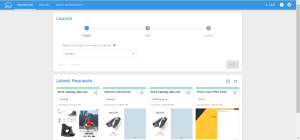
Though you will find plenty of software solutions for line sheet creation, the level of automation and quality delivered by Pagination is second to none.
- A leading cloud-based line sheet creation tool renowned for its automation and quality, enabling the production of high-resolution, print-ready catalogs using Adobe InDesign.
- Pagination excels in offering custom layout flexibility, and robust image and file integration, alongside a variety of free, editable templates, catering to a wide range of document creation needs.
- You’ll be able to create print line sheet, digital catalogs, price lists, brochures, or any other kind of custom document.
- There are three plans available. Professional plan starts at $120/month – Offers premade InDesign templates with 40 publications, 1000 SKUs, and 500MB storage.
Catalog Machine
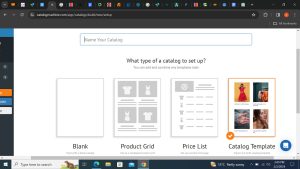
- A popular product catalog management software that allows you to create and share product line sheet both in PDF form and online.
- The free plan offers a 15-day free trial with 20 products, 2 catalogs, 10 pages per catalog, and 10 MB of storage.
- The lite plan starts at $19/month and includes space for 100 products, 5 catalogs with up to 50 pages per catalog, and 100 MB of storage.
FlipSnack
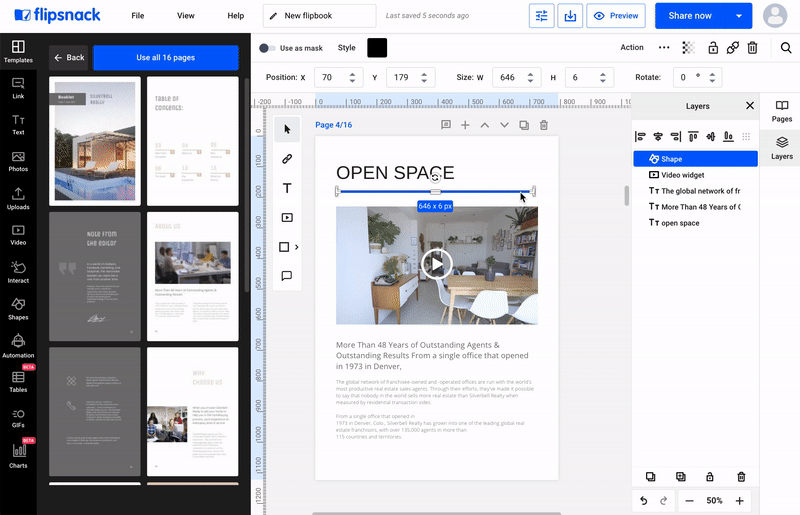
- Convert your PDF into a online line sheet.
- Add interactive features such as videos, links, buy buttons, and more.
- Saving to PDF, PNG or JPG is a Premium feature, starting from $14 per month..
DCatalog
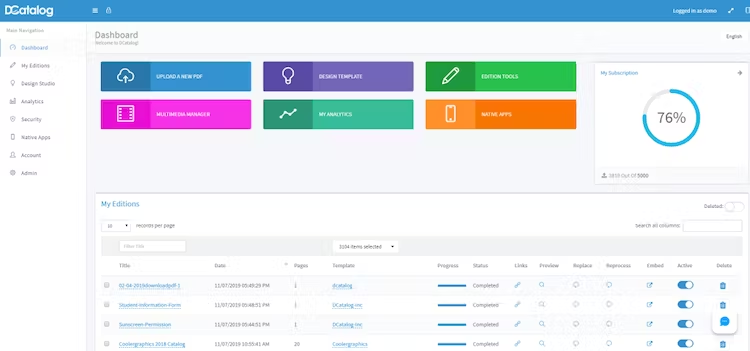
- Create, manage and share your digital product line sheet online with DCatalog
- Start by converting your PDF catalogs into stunning digital shoppable eCommerce catalogs.
- Interactive features such as videos, buy buttons, links, and more.
- Free 14-day trial period with no credit card required.
Canva

- A simple drag-and-drop interface for easy line sheet creation in PDF, image files, and others.
- A vast library of catalog templates contains different styles, purposes, and industries.
- Thousands of templates on the free plan, including social media templates and 3+M stocks of photos and graphics.
- AI-generated designs and writing as well.
InDesign/QuarkXPress Plugins for Line Sheet Making
There are also InDesign or QuarkXPress plugins available in the market that let you create line sheets. These plugins are tailored to enhance the capabilities of Adobe InDesign or QuarkXPress, making line sheet creation a more seamless process.
Unlike fully automatic line sheet creation software, these plugins require installation and are typically licensed for use on a single computer. Besides, understanding and mastering these plugins can be a bit complex due to the learning curve. This complexity may impose some constraints on the final layout, resulting in documents that might be less comprehensive or appealing.
Unlike fully automated solutions, plugins often lead to partially automated documents, requiring additional manual editing. Moreover, when structural changes are needed, retaining the necessary knowledge for setup might be challenging.
Here’s a glimpse into what these plugins generally offer:
Data Import
Import data from CSV, Excel, Google Spreadsheets, and XML files.
In-Plugin Data Management
Manage data within a spreadsheet-style panel within the plugin.
Bidirectional Link
Establish a link between your data source and the InDesign/QuarkXPress document, ensuring updates in both directions.
Product Template Creation
Design templates and populate them with live data easily. However, it’s crucial to note that some features, such as very fast cloud-based processing, automatic data transformation, and seamless integration of structured and hand-crafted documents, are exclusive to fully automated line sheet creation software.
Additionally, while plugins offer certain advantages, the choice between using plugins or alternative line sheet creation tools depends on specific requirements, preferences, and the desired level of automation and customization.
Pagination Line Sheet Software
You may have tried desktop applications that are difficult to use and with which you can create only a very basic graphic layout. Forget about those! What is the best software to make a line sheet? The best software for the job is Pagination.
Having introduced a range of popular product line sheet software, it’s worth taking a closer look at Pagination, a standout solution in the line sheet automation landscape.
Pagination Line Sheet Software emerges as a detailed and flexible solution, perfect for crafting a range of documents such as print catalogs, digital catalogs, price lists and brochures etc.
This cloud-based software, being a SaaS (Software as a Service) product, leverages the power of Adobe InDesign to offer high-resolution, print-ready outputs in formats like PDF, INDD, and IDML.
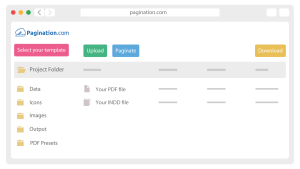
- A one-minute video to discover how to create a document with Pagination:
Here are the main features and functions of Pagination line sheet software:
Custom Layouts and Image Integration
- Design Freedom: Pagination utilizes your InDesign layout, offering maximum design flexibility. This allows you to use custom layouts that align with your brand identity.
- Image and File Support: The software supports the automatic insertion of images and Adobe files (from Illustrator, Photoshop, or InDesign) during the pagination process.
- Template Options: For those who need to create documents quickly and may not have a layout ready, Pagination offers dozens of free templates. These templates are easily editable to suit different needs.
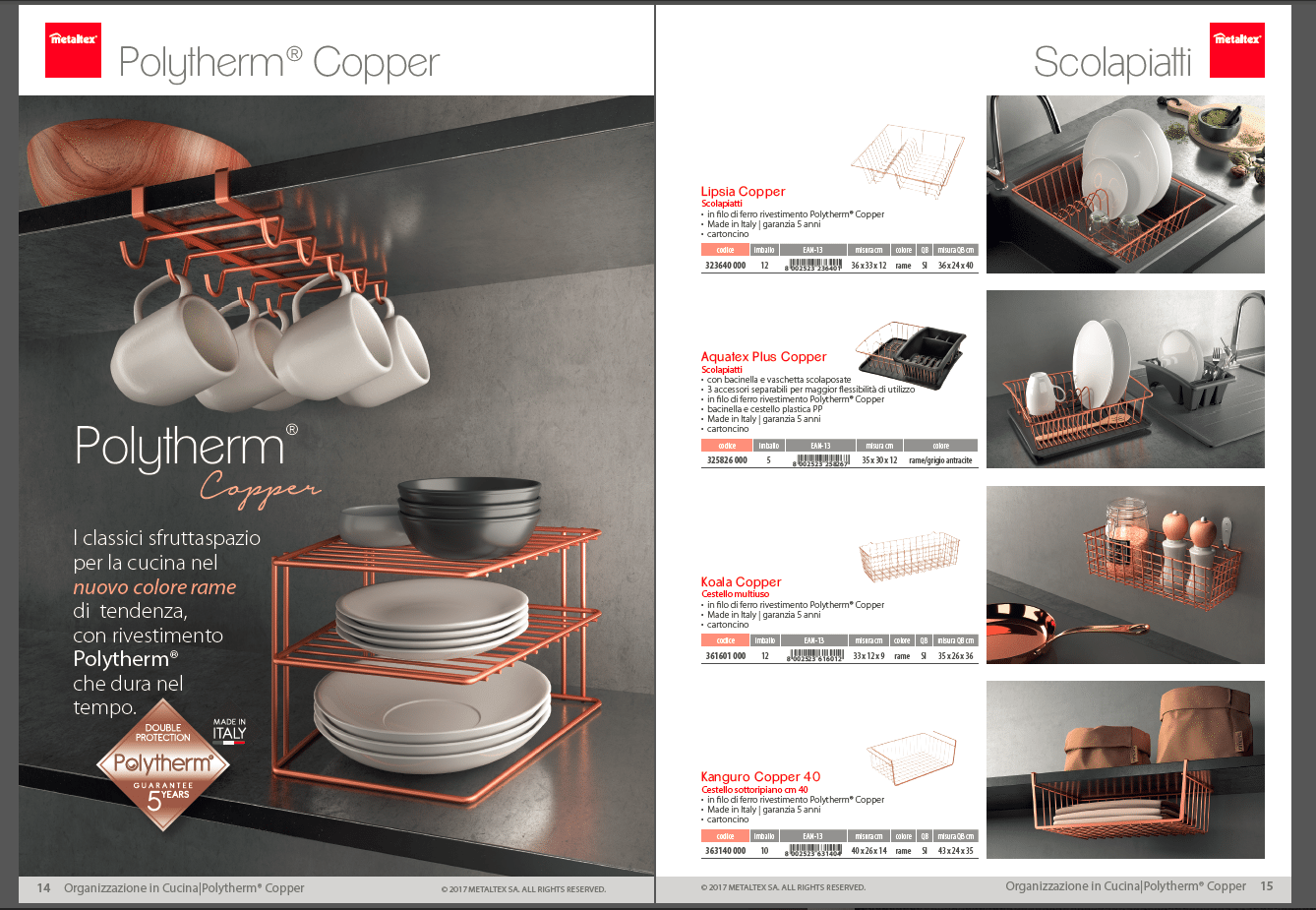
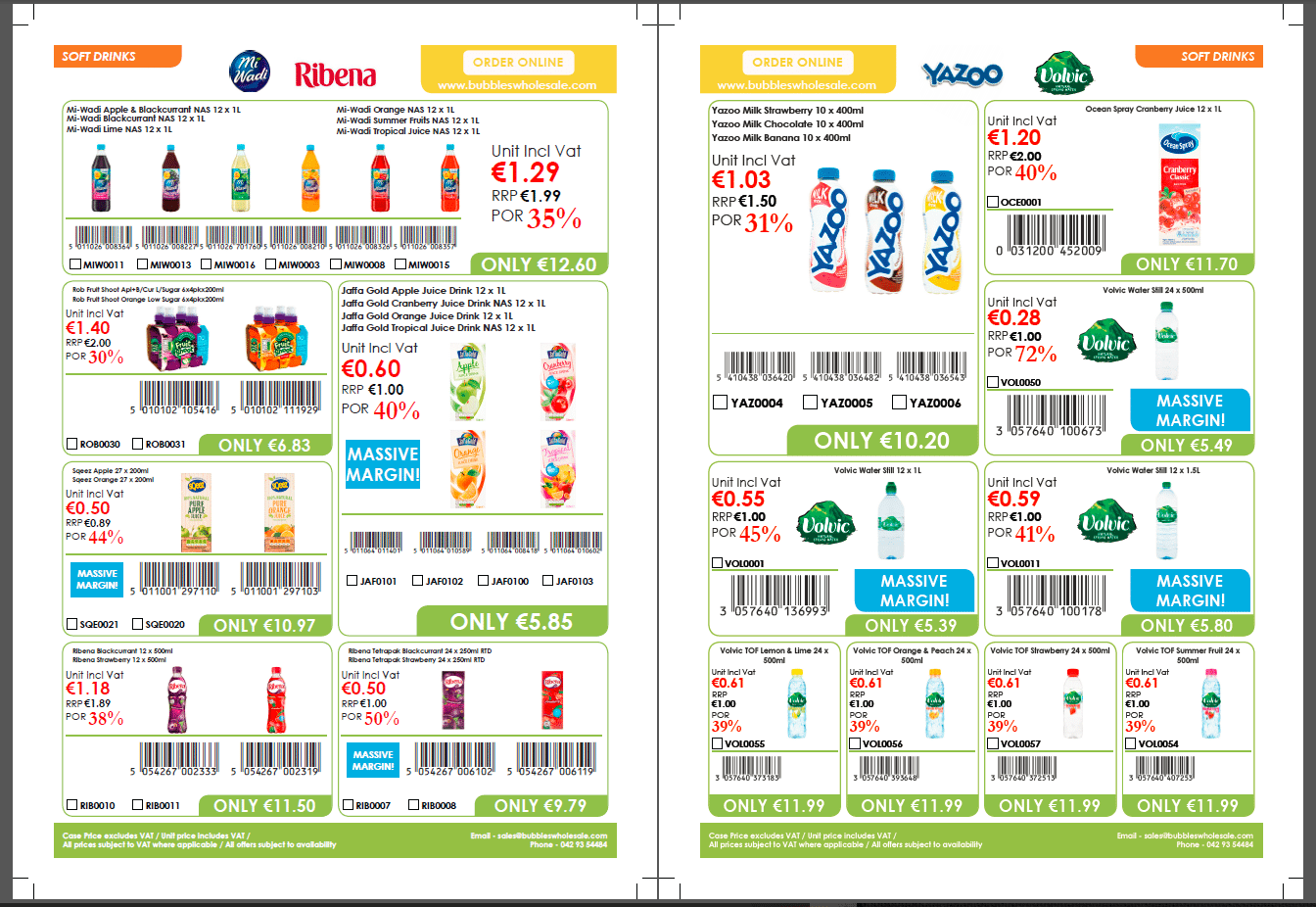
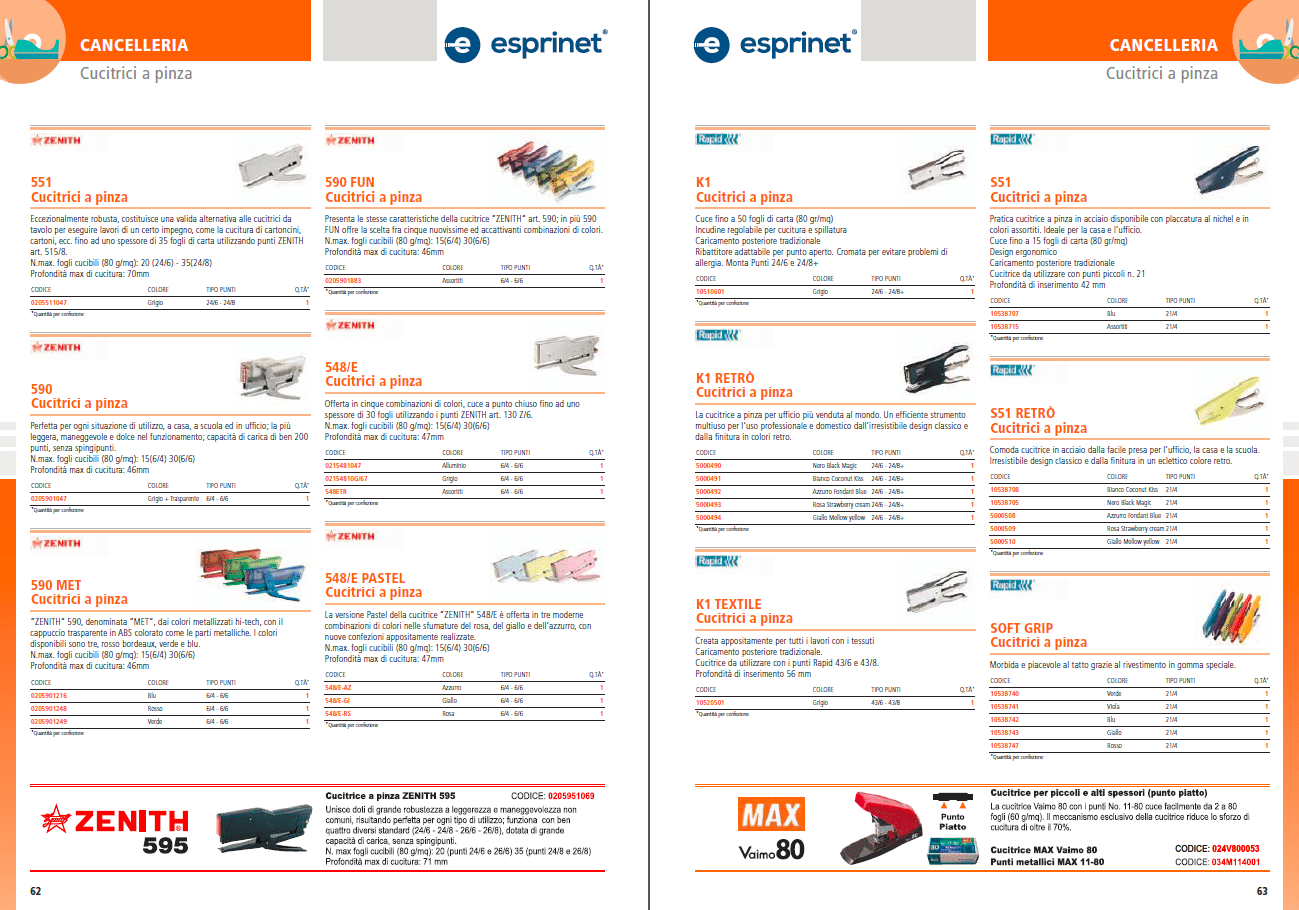
Some of Pagination customers’ layouts:



Data Integration from Multiple Sources
The cloud-based line sheet software offers a flexible and powerful solution for data integration, catering to the dynamic needs of modern businesses.
- Versatile Data Compatibility: The software is capable of utilizing a wide range of data file formats commonly used in business applications. This includes Excel (XLS, XLSX), CSV (Comma-Separated Values), TXT (Text Files), XML (eXtensible Markup Language), and more. This compatibility ensures that businesses can seamlessly integrate their existing data, regardless of the format it’s stored in.
- Combining Data Files: This line sheet software allows for the combination of several data files to create rich and sophisticated documents. This is especially useful for businesses with complex data structures.
Print Catalog Creation
Pagination Line Sheet Software streamlines the creation of print catalogs by offering key features that ensure professional print quality:
- Multiple Formats: Supports creation in PDF, INDD, and IDML formats for versatile printing options.
- Custom Slugs and Bleeds: Allows customization of slugs and bleeds to meet specific printing requirements.
- High-Resolution Images: Supports 300dpi images for sharp, clear visuals in the final print.
- Typographic Excellence: Ensures high typographic quality for better readability and presentation.
- Cross-Reference Updates: Automatically updates cross-references within the line sheet for consistency and accuracy.
- Custom PDF Presets: Provides customizable PDF presets and .joboptions for optimal print settings.
Digital Line Sheet Creation
This Line Sheet Software excels not only in creating print line sheets but also in producing digital line sheets ready for online distribution. Here’s how Pagination equips digital catalogs with essential features for modern, interactive web publishing:
- Clickable Table of Contents (TOC): Pagination allows the inclusion of a clickable TOC in your digital line sheet. This feature enhances user navigation, enabling quick access to different categories, products, or notes through hyperlinks.
- Internal and External Link Integration: The line sheet software supports the embedding of both internal and external links. This means you can guide readers within the document or direct them to external resources, such as your e-commerce website, for a seamless shopping experience
- Variable Image Resolution: To suit various online platforms, Pagination provides flexibility in image resolution, ranging from web-friendly 72dpi to high-quality 300dpi. This adaptability ensures that your images look great on all devices and bandwidths.
- Interactive and Agile Web Publishing: Beyond these features, Pagination’s digital catalogs are designed to be lightweight for agile web publishing, ensuring they load quickly and efficiently on various online platforms.

Custom Features of Pagination Line Sheet Software
The advanced line sheet software management capabilities of Pagination’s line sheet software are highlighted by its array of custom features. These features are designed to efficiently handle information-rich documents, making it a top choice in the catalog software sector.
Here’s a brief overview:
- Automatic Table of Contents (TOC): Pagination automates the creation of a table of contents, saving time and ensuring accuracy in document navigation.
- Smart Tables: The software includes smart tables that can handle complex data in an organized manner, making it easier to display detailed product information or specifications.
- Dynamic Fields: Dynamic fields in Pagination allow for more flexible data integration, enabling the software to adapt to varying content needs dynamically.
- HTML Tags Support: With the support for HTML tags, Pagination enhances the functionality and interactivity of digital catalogs, making them more engaging for the user.
- Our Experience and Expertise: At Pagination, our expertise and experience in line sheet creation have solidified our position as a leading product line sheet software provider. Our journey, marked by hundreds of national and international projects, has equipped us with a depth of knowledge and skills that make our software a standout choice in the market.
- Wide-ranging industry Expertise: We’ve gained significant experience across various industries, including automotive, distribution, fashion, furniture, and manufacturing. This diverse expertise ensures our software is versatile and adaptable to different business needs.
- Extensive Project Portfolio: With thousands of successful projects under our belt, we’ve refined our software to meet a wide range of requirements, from small businesses to large enterprises.
- Collaborations That Add Value: Our partnerships with creative agencies have allowed us to expand our offerings. These collaborations enable us to provide customized solutions, ensuring our clients get exactly what they need. Our team’s know-how, combined with Pagination’s user-friendly and efficient features, positions us as a top product line sheet software choice on the web.
- Transform your catalog creation with Pagination catalog software: Pagination’s cloud platform is transforming the line sheet creation process, making it remarkably convenient and accessible.
- Accessibility: Create your line sheet anytime and anywhere. Whether you’re at the office or on the go, our cloud platform is just a few clicks away.
- Device-Friendly: Use any device to access Pagination’s platform. Whether it’s a desktop, laptop, tablet, or smartphone, our platform is designed for all.
- No Installation Required: Forget about the hassle of installing software or plug-ins. Our cloud-based solution is ready to use with just an internet connection.
- Ease of Use: Designed for simplicity, you don’t need to be an expert in design or software to use Pagination. It’s user-friendly and straightforward.
- Quick Turnaround: Send us your project files (InDesign layout, data file, and images), and in about ten working days, you’ll be set up to create your own documents 24/7.
Our platform is a testament to the convenience and efficiency of modern catalog creation. It’s not just a tool; it’s a solution that adapts to your lifestyle and business needs.
Experience the simplicity and effectiveness of Pagination’s cloud platform – it’s something you just have to try!
Interested in Pagination Line Sheet Automation?
When it comes to finding the fastest way to move from data to document, Pagination line sheet software is an undisputed champion. No matter how varying your line sheet needs are, the diversity of free InDesign templates will cover you. So, get rid of complex manual operations and automate your catalog creation process with Pagination – where speed meets versatility.
Try the Pagination line sheet software today and witness the unmatched speed and flexibility that redefine the way you bring your line sheets to life!
Line Sheet Automation?
Publishing a product catalog or a price list is a challenging task that can put pressure on even the best marketing teams.
You can use Pagination, the Line Sheet Software, to automatically create beautiful documents in just a few seconds that are always ready for print or digital distribution.
 Watch demo
Create your automated document!
Use one of our free InDesign Templates or upload your own layout. Create documents anytime and from anywhere.