Pricebook Software: The Ultimate Guide to Creating Tailored Pricebook Documents
Register and Download
Looking for powerful software to solve your pricing document challenges?
Creating tailored pricebook documents remains one of the biggest headaches for sales teams managing complex pricing structures across different customer segments.
In this comprehensive guide, you’ll learn how pricebook document softwares can automate your pricing workflows, eliminate costly errors, and deliver professionally customized catalogs that reflect each client’s specific pricing agreements and discounts.
Table of Content
- What Is a Pricebook Document?
- Essential Features of Modern Pricebook Software
- Pricebook Formats and Delivery Options
- How to Create Effective Pricebook Documents
- Who Benefits Most from Pricebook Software?
- What to Look for in Pricebook Software
- Automate the Process with Pagination Pricebook and Database Publishing Software
What Is a Pricebook Document?
A pricebook is more than just a list of prices: it’s a dynamic, structured document (typically available as PDF, Excel, or RTF) that showcases your products, services, and their corresponding prices. What makes them truly valuable is their customizability: they can be tailored for specific customers, business segments, or pricing channels. Gone are the days of generic price lists: today’s pricebooks deliver personalized pricing information clearly and effectively.
Why Businesses Rely on Pricebooks
Across industries, forward-thinking companies use these documents to:
- Ensure pricing consistency across teams and customer touchpoints
- Clearly communicate negotiated discounts and markups
- Streamline management of recurring pricing for subscriptions and services
Well-designed documents minimize pricing errors, enhance customer communications, and significantly streamline your quoting and billing processes. At the same time, automating their creation process ensures consistency and efficiency.
Real-World Applications
- A wholesale distributor creates distinct pricing documents for retail partners versus end-users
- A service provider incorporates monthly recurring charges into client-specific documents
- A retailer crafts custom pricing documents for in-store, online, and international markets
Check also our guides about catalog software, pricebook software or line sheet software.
Essential Features of Modern Pricebook Software
Customer-Specific Pricing
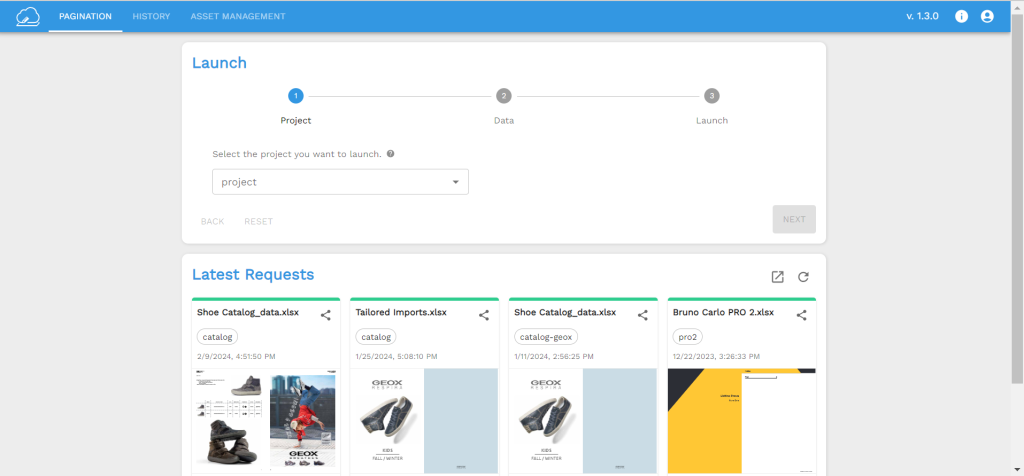
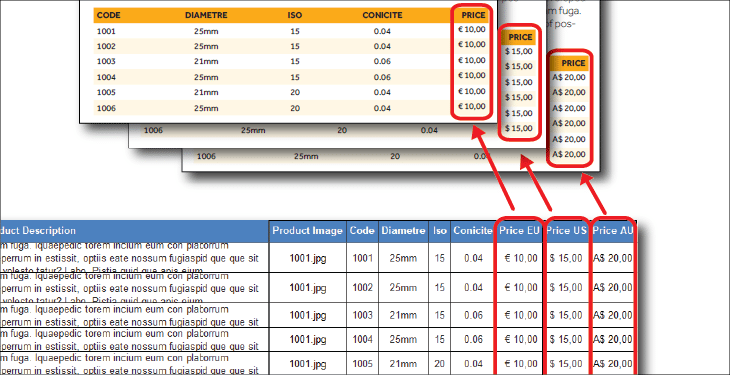
Today’s pricebook software empowers you to generate perfectly tailored documents for each client, location, or region. Set up your template once and the specific data source, and any pricing updates automatically flow through to the final document. Need to adjust pricing for a particular currency or product category? Simply update your data and regenerate documents in seconds, maintaining consistent layout while only changing the relevant numbers.
Sophisticated Discount Structures
Modern pricebook document creators support complex pricing logic based on volume, seasonality, contract terms, or promotional rules. For instance, you can easily integrate bulk discounts (like 10% off orders exceeding 1,000 units) directly into your pricing data. With this software, there’s no need to rebuild layouts: just refresh your data and export.
Recurring Costs & Service Management
Industries like HVAC, construction, and SaaS frequently include recurring items in their pricebooks: maintenance contracts, licensing fees, or subscription costs. These become remarkably simple to manage when using cloud-based solutions with scheduling capabilities and dynamic field support.
Pricebook Formats and Delivery Options
Excel
Excel remains incredibly popular for collaborative internal use. Teams can filter, search, and adjust pricing on demand. Many organizations start with Excel before transitioning to dedicated pricebook software as their needs grow. With this software you can easily upload your file and obtain nice pdf pricebooks from Excel.
PDFs shine when you need client-facing, professionally formatted documents. They deliver consistent visual presentation and can incorporate your branding, legal information, and multilingual content in one polished package.
How to Create Effective Pricebook Documents

Manual Creation (Excel/Google Sheets)
While creating pricing documents manually is possible, it can be tedious and error-prone. The process typically involves:
- Gathering product information from various systems
- Formatting your spreadsheet with categories, descriptions, and prices
- Manually applying conditional pricing rules
- Exporting as PDF or sharing via email
This approach works for small catalogs but becomes unwieldy as you scale.
Automated Pricebook Software
Purpose-built product pricing document software eliminates friction. With it, you can:
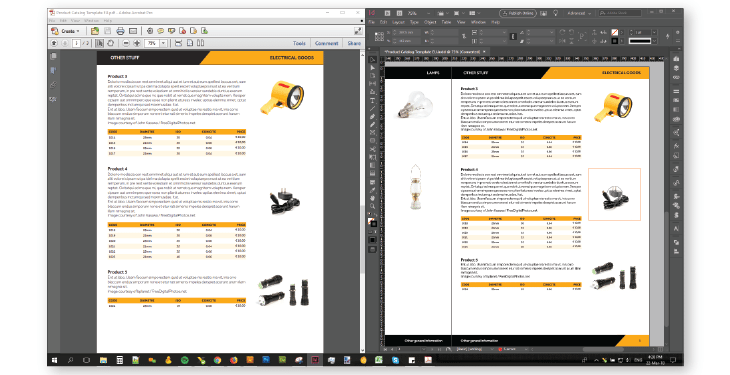
- Define your customised templates once. Here you can find some Indesign templates for free.
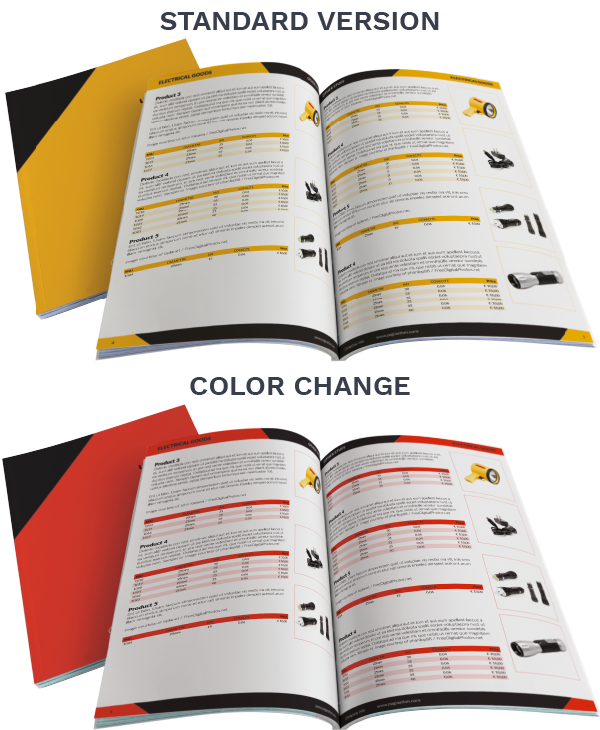
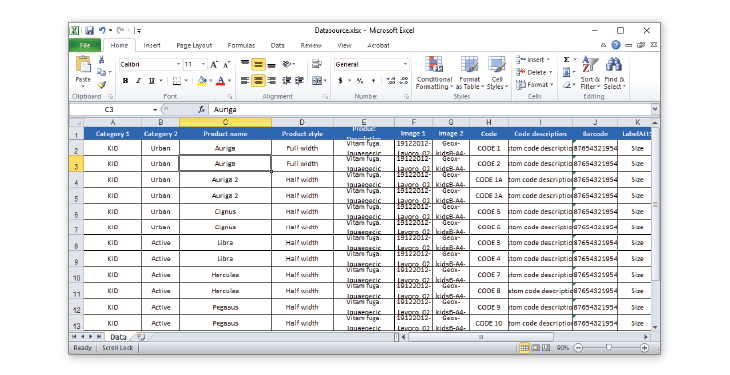
- Import data downloaded from your ERP, PIM, or CRM systems. You can also create documents starting from Salesforce pricebooks.
- Set client-specific parameters (language, currency, pricing rules)
- Generate thousands of personalized documents with a single click
Who Benefits Most from Pricebook Software?
B2B Manufacturers & Distributors
Companies with extensive product catalogs and multi-tiered pricing strategies (like wholesale versus retail) gain enormous efficiency from automated documents creation.
Service Providers
Businesses offering project-based or recurring services (including HVAC, plumbing, consulting) can streamline pricing and billing with customizable price documents. You can read more here about HVAC pricebook.
Sales and Marketing Teams
When you need to respond quickly with branded, personalized offers, sales document software ensures consistency while saving valuable time. They can also rely on catalogs or price lists.
What to Look for in Pricebook Software
Pricebook Features
- Flexible templates and layout options
- Seamless data import from spreadsheets or integrated systems (ERP/CRM)
- Framework to update the output considering multiple languages and currencies
- Cloud accessibility and collaborative editing
- Versatile export options (PDF, Excel, InDesign)
- Scalable publishing capabilities and automatic updates
Key Benefits
- Time savings: eliminate manual updates and formatting
- Error reduction: ensure data accuracy through system integration
- Personalization at scale: generate tailored documents by region, price or customer
- Centralized control: maintain a single source of truth for all pricing
Automate the Process with Pagination Pricebook and Database Publishing Software
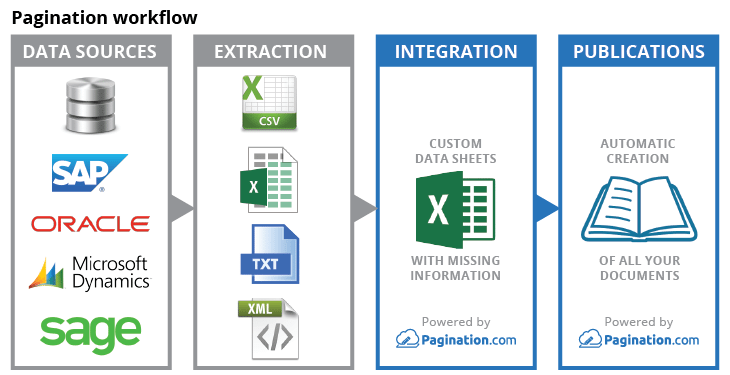
If you’re looking to fully automate the creation of professional documents, consider using Pagination’s database publishing solution. It connects directly to your product database and template files to generate personalized, print-ready pricebooks in PDF or InDesign.
Whether you’re building 5 or 5,000 documents, Pagination helps you:
- Upload structured product data
- Apply client-specific templates
- Create the output in few clicks
- Deliver localized, versioned documents at scale
With support for Excel, cloud databases, and CRM data integrations, Pagination makes pricebook publishing not only faster, but more accurate and scalable.
FAQs About Pricebook Documents
What exactly is a pricebook document?
It’s a customized catalog that presents products and prices specifically tailored to a particular customer or market segment.
What software options exist for creating pricebook documents?
Dedicated pricebook software allows you to automate document generation using customizable pricebook templates and real-time data sources.
Can I generate a pricebook from existing Excel data or databases?
Absolutely! Most advanced pricebook solutions integrate directly with Excel, databases, or APIs.
How does a pricebook differ from a standard price list?
A price list tends to be more generic and static, while a pricebook is dynamic, customized, and customer-specific.
Why should I transition from Excel to managing pricebooks?
While Excel works initially, it becomes slow, unscalable, and error-prone as you grow. Purpose-built software ensures speed, reliability, and personalization.
Price book automation?
Publishing a price book is a challenging task. You can use Pagination Price Book Software to automatically create beautiful documents in just a few seconds that are always ready for print or digital distribution.
Ready to simplify your price book creation process?
Watch the video demo and discover how automation can work for you.
 Watch demo
Create your automated document!
Use one of our free InDesign Templates or upload your own layout. Create documents anytime and from anywhere.