






Pagination Catalog Software

Create print-ready InDesign and PDF product catalogs from PIM, ERP, DAM, or Excel data, with every language, market, and edition generated from one controlled workflow.


How Pagination Creates Your Catalogs

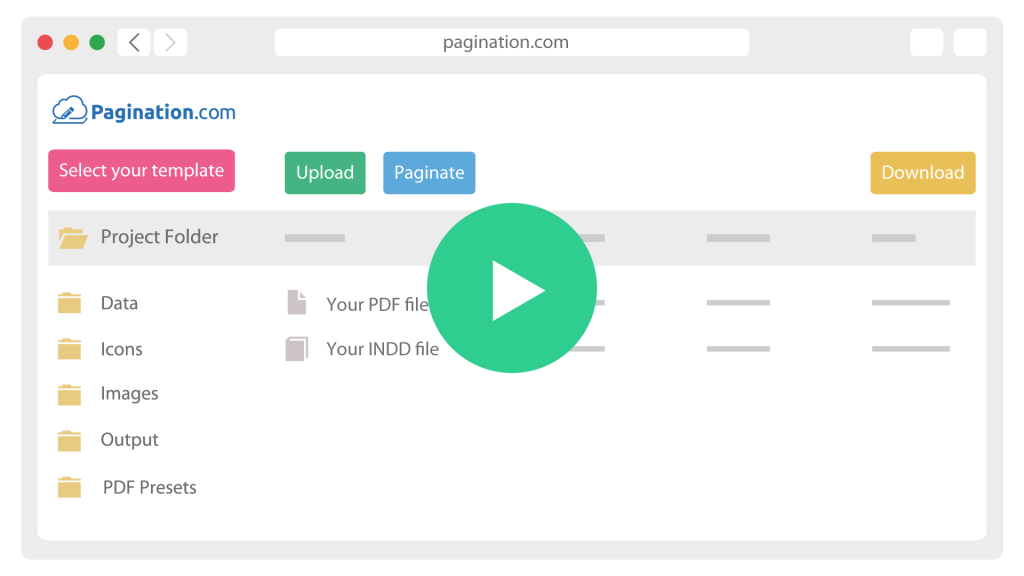
One workflow, repeatable on every export. No manual layout, no copying between files.

icon__custom-layout
1

Connect Your Data

Pagination reads from your PIM, ERP, DAM, or Excel, CSV, XML export.

icon__upload-data
2

Load Your Layout

Use your own InDesign layout, or start from one of our free catalog templates. Fields are mapped once, then reused on every export.

icon__paginate-document
3

Generate the Catalog

Pages, sections, indexes, tables, prices, images and translations placed automatically.

icon__download-files
4

Download Files

Native InDesign and PDF ready for press. Ready for print, distribution, or the web.

multilingual icon

Catalogs in Every Language

One product database, every language version generated automatically.  Pagination uses InDesign’s native dictionary engine with professional hyphenation in 40+ languages, so each translation flows correctly in the layout. No orphan lines, no broken tables.


Change a product description in your data source, every language version of the catalog reflects the change on the next run.

Catalogs at Any Scale

Pagination handles the same workflow for a 16 page seasonal lookbook or a distributor catalog of 5,000 pages with more than 100,000 SKUs. 


Structure generated from your data: sections, chapter breaks, table of contents, alphabetical indexes and product cross references are built from the data structure. Pages are never assembled by hand.

Automation that keeps the design

Pierre Frey, the Parisian maison of luxury home textiles founded in 1935, wanted to automate its catalogs without touching its editorial layouts.

Pagination automated its original InDesign templates: the annual catalog, thousands of sample labels and presentation decks are now generated from data, with pages that adapt to each product’s color variants

Inside Pagination Catalog Software: Features Built for Production

Production grade features for teams that publish catalogs as a core business process:

Automatic product data sync

Descriptions, specifications, assets and product attributes pulled from source on every run.

Hyphenation in 40+ languages

InDesign’s native dictionary engine hyphenates every translated edition correctly, with no orphan lines and no broken tables.

Market and customer specific editions

Generate catalog editions with different assortments, labels, languages, currencies and branding rules.

Smart layout adaptation

Images and text reflow per product automatically.

Sections, TOC and index generation

Built from the data structure, not by hand.

QR code and barcode generation

Optimized for print, embedded inline.

InDesign Book file support

Catalogs of thousands of pages, split into synced chapters.

Full API access

Trigger and integrate the workflow programmatically.

Cloud based

AWS EU infrastructure, GDPR compliant.

Works with the Systems You Already Use

Pagination connects to any source that exposes an API or a structured export. Native connectors are ready out of the box for the systems below, and a custom integration can be built for anything else.

PIM
Akeneo
Pimcore
Salsify
Plytix
inRiver
ERP
SAP
Epicor
NetSuite
Infor
Oracle
ECOMMERCE
Shopify
Magento
WooCommerce
DAM
Bynder
Cloudinary

Frequently Asked Questions

What teams ask before automating their catalogs. Question not listed here? Ask our team.

Yes. Pagination automates your own InDesign templates without changing the design: Pierre Frey generates its annual catalog from its original editorial layouts. You can also start from one of our free catalog templates.

Any source that exposes an API or a structured export: PIMs such as Akeneo, Pimcore, Salsify, Plytix and inRiver, ERPs such as SAP, NetSuite and Epicor, or a plain Excel, CSV or XML file.

Yes. Every language version comes from the same product data, with InDesign’s hyphenation in 40+ languages. A global footwear brand produces 12 multilingual catalogs this way.

From a 16-page seasonal lookbook to distributor catalogs of 5,000 pages with more than 100,000 SKUs. Long catalogs can be split into synced InDesign Book chapters.

Create Your Automated
Catalog Now with Pagination

 Use one of our InDesign Templates or upload your own
layout. Create documents anytime and from anywhere