
Gardner Denver: multi-language and multi-currency price list automation with Pagination
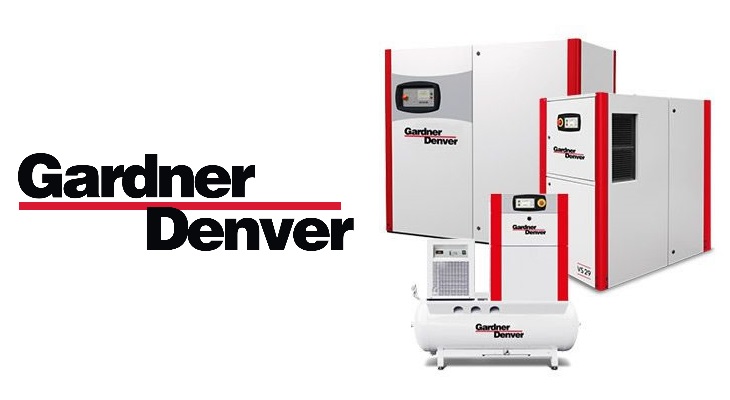
Founded in 1859, Gardner Denver has grown into one of the world’s leading providers of flow control technology, compressors, blowers, and vacuum pumps. Headquartered in the United States, the company now operates in 35 countries with more than 30 manufacturing facilities across the Americas, Europe, the Middle East, and Asia/Pacific.
Gardner Denver supports a wide range of industries – from manufacturing and transportation to energy, food and beverage, and environmental applications – by delivering reliable equipment and tailored services.
With such a wide range of products and international presence, managing price lists was a complicated process. Gardner Denver therefore turned to Pagination to automate the creation of its multi-language price lists.
The challenge: creation of multi language and technical price lists
As an international industrial provider, Gardner Denver relies on distributors around the globe. To keep them updated on product offerings, Gardner Denver provides distributors with accurate price lists.
These documents are also used by internal sales teams and representatives to manage orders. Sven Kopp, Gardner Denver’s Pricing Manager, said this about creating price lists before Pagination:
“The process was very tedious and time-consuming. The process of copying and pasting data from the data sheet into our documents’ layouts that we provided to the agency required a lot of time and was subject to the typical errors related to any hand-made creation process. Moreover, if we needed to update or modify some information, the indications had to move from one department to another and then be sent to our agency.”
To overcome these issues and speed up the publishing process, Gardner Denver looked for a solution on the web and found Pagination:
“We approached Pagination after a period of creating our price lists manually, with the help of an external agency.”
Pagination’s Solution: Ready-to-print, multi-currency and multi-language price lists
Gardner Denver turned to Pagination to automate the creation of their complex, multi-version price lists. As Sven Kopp explained:
“We create 13 different versions of our price lists. They cover different product groups and brands. Every version is differentiated in one or many dimensions, such as price levels, language, brands and currency. We publish our documents in the five major languages and in three currencies. It all depends on the requirements of our distributors and our local department.”
Automated price list production
- Product data integration: Price lists are generated directly from SAP exports. The data file provides all product attributes and is enriched with static and dynamic translations. Static translations ensure that recurring titles always appear in the correct language, while dynamic translations are linked to specific data fields.
- Flexible product layouts: The company uses a variety of table-based layouts to highlight different product attributes. Some layouts focus on codes, prices, features, and options, while others combine descriptive text with smaller tables. Each layout ensures clarity while accommodating the needs of different markets and product groups.
- Color variants by category: To visually differentiate categories, Gardner Denver applies a distinct color palette to each one. Color variants improve readability and help distributors quickly identify the product families they need.
- Static content integration: Pagination merges dynamic data with static InDesign elements. Cover pages and chapter dividers, uploaded through the Pagination app, are automatically matched with the correct language and chapter based on the data file. This guarantees consistency across all versions while giving local departments the right level of customization.
- Dynamic indexes: Automated indexes are generated for each version, reflecting language, brand, and category variations. This feature helps internal sales teams and distributors navigate the documents more efficiently.
- .txt file integration: Alongside SAP exports, Gardner Denver also uploads .txt files with supplementary information or tables. These files are automatically formatted according to predefined InDesign styles, ensuring a professional and consistent presentation without additional manual work.
Results and Benefits

The biggest benefit that Gardner Denver found was the optimization of the time spent in the publishing process. It changed from days to seconds, for both the generation of the data file and the pagination process.
With Pagination database publishing, Gardner Denver only has to upload its data into the Pagination Cloud, and then the documents are automatically created in PDF and InDesign format. Kopp told us:
“The automatic process enables us to save a lot of time. The price lists are created ready to be distributed, and all the time used in the old copy-paste activity is saved.”
Another big advantage is due to a change of competences, which led to the saving of money:
“The whole process is now completely managed internally. Product Management owns the technical specs and Material Presentation. Pricing owns the Price levels, and the local departments oversee the language. This enables full control of the management of the price list information and structure. Moreover, entrusting the process to our internal team, instead of an external agency, has allowed us to reduce our costs considerably.”
Kopp finished by saying:
“Pagination benefits can be summed up in four points: full control in the management of the price lists and in their structure, a more fluent workflow between company departments, time savings with the automatic process, and costs savings from taking the process internally.”

Sven Kopp
Pricing Manager at Gardner Denver
For industrial providers managing complex, multi-language and multi-currency price lists, Pagination offers the InDesign automation tools needed to deliver professional, ready-to-print documents with accuracy and speed.
Ready to streamline your publishing process? Contact Pagination today or watch our demo to see how automation can work for your business.
Create your automated document!
Use one of our free InDesign Templates or upload your own layout. Create documents anytime and from anywhere.